2.3 Installing the AP
Please install the AP
according to the following
hands dry.
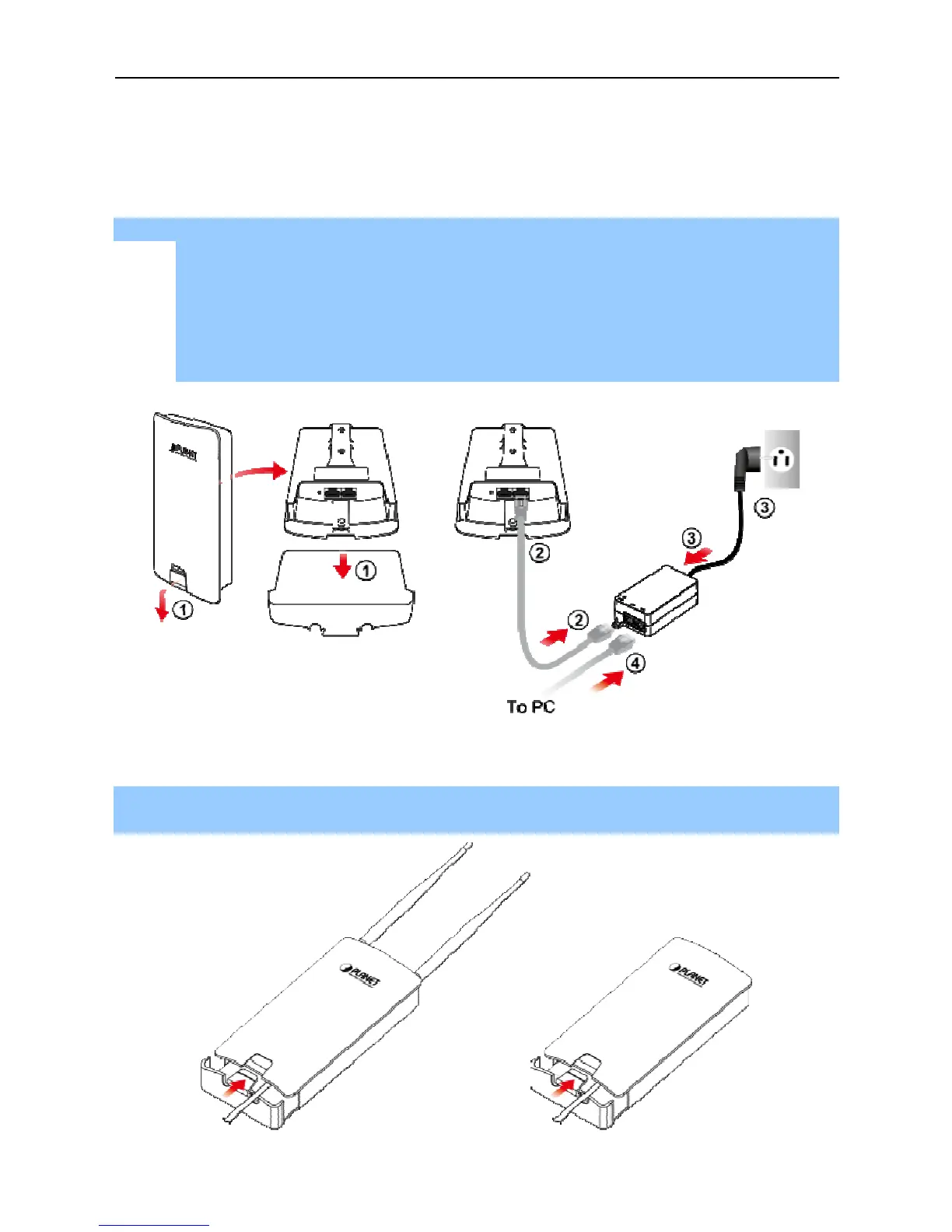
Step 1. PoE and LAN port
Connect one end of the Ethernet cable into the LAN (Passive PoE) port of the device and the other
end to the PoE port on the PoE Injector.
Connect the power cord with the PoE Injector and plug the other end into an elec
Connect the second Ethernet cable into the LAN port of the PoE Injector and the other end to the
Ethernet port on the computer.
Step 2. Attach the antennas
onto the antenna connectors of the device and place the bottom cover back into
the device to finish the i
according to the following
s. Don't forget to pull out the power plug and keep your
Connect one end of the Ethernet cable into the LAN (Passive PoE) port of the device and the other
end to the PoE port on the PoE Injector.
Connect the power cord with the PoE Injector and plug the other end into an elec
Connect the second Ethernet cable into the LAN port of the PoE Injector and the other end to the
Ethernet port on the computer.
2-1 PoE and LAN port connection
onto the antenna connectors of the device and place the bottom cover back into
-2 Finish installation and connect to antennas
s. Don't forget to pull out the power plug and keep your
Connect one end of the Ethernet cable into the LAN (Passive PoE) port of the device and the other
Connect the power cord with the PoE Injector and plug the other end into an elec
Connect the second Ethernet cable into the LAN port of the PoE Injector and the other end to the
onto the antenna connectors of the device and place the bottom cover back into



 To Next Page