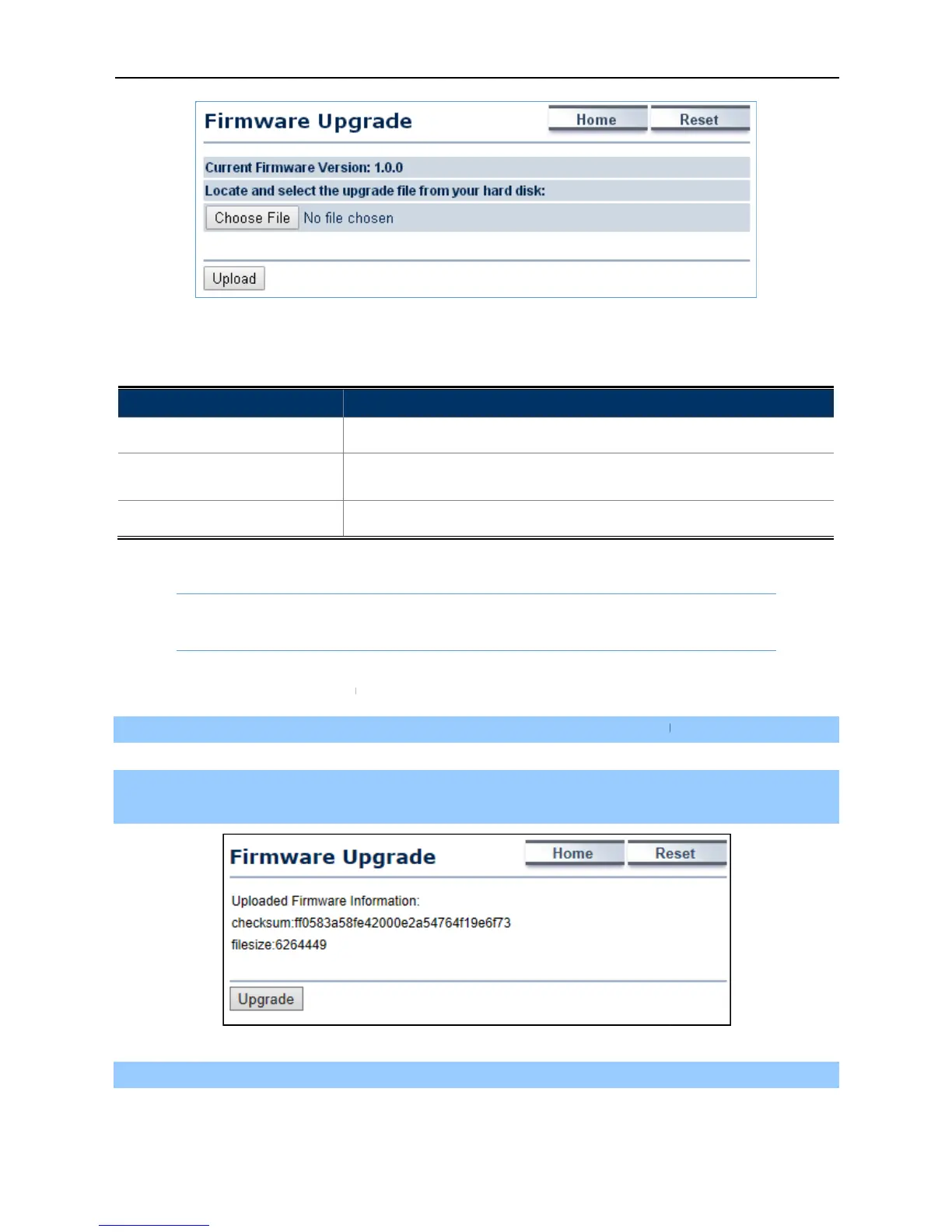
The page includes the following settings
• Current Firmware Version
The following procedure will guide
Step 1. Click the Choose File
button to locate the firmware file path. Then, click
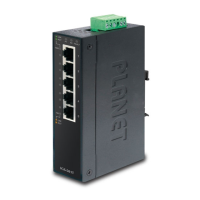
The firmware checksum information appear
confirmed, click the Upgrade
button to begin the upgrade process.
Step 3. Wait for the process until it
-67-
Figure 4-45 Firmware Upgrade
The page includes the following settings
ON to enable or click OFF
locate and select the upgrade file from your local
Upload to upgrade the firmware.
Firmware Upgrade Procedure
to how to upgrade the firmware.
button to locate the firmware file path. Then, click
The firmware checksum information appear
s to help you confirm whether
button to begin the upgrade process.
locate and select the upgrade file from your local
the file is correct. Once



 To Next Page