4.6 Management
On this page, you can
settings, Time settings, Password settings,
Configuration backup and restore
The page includes the following settings
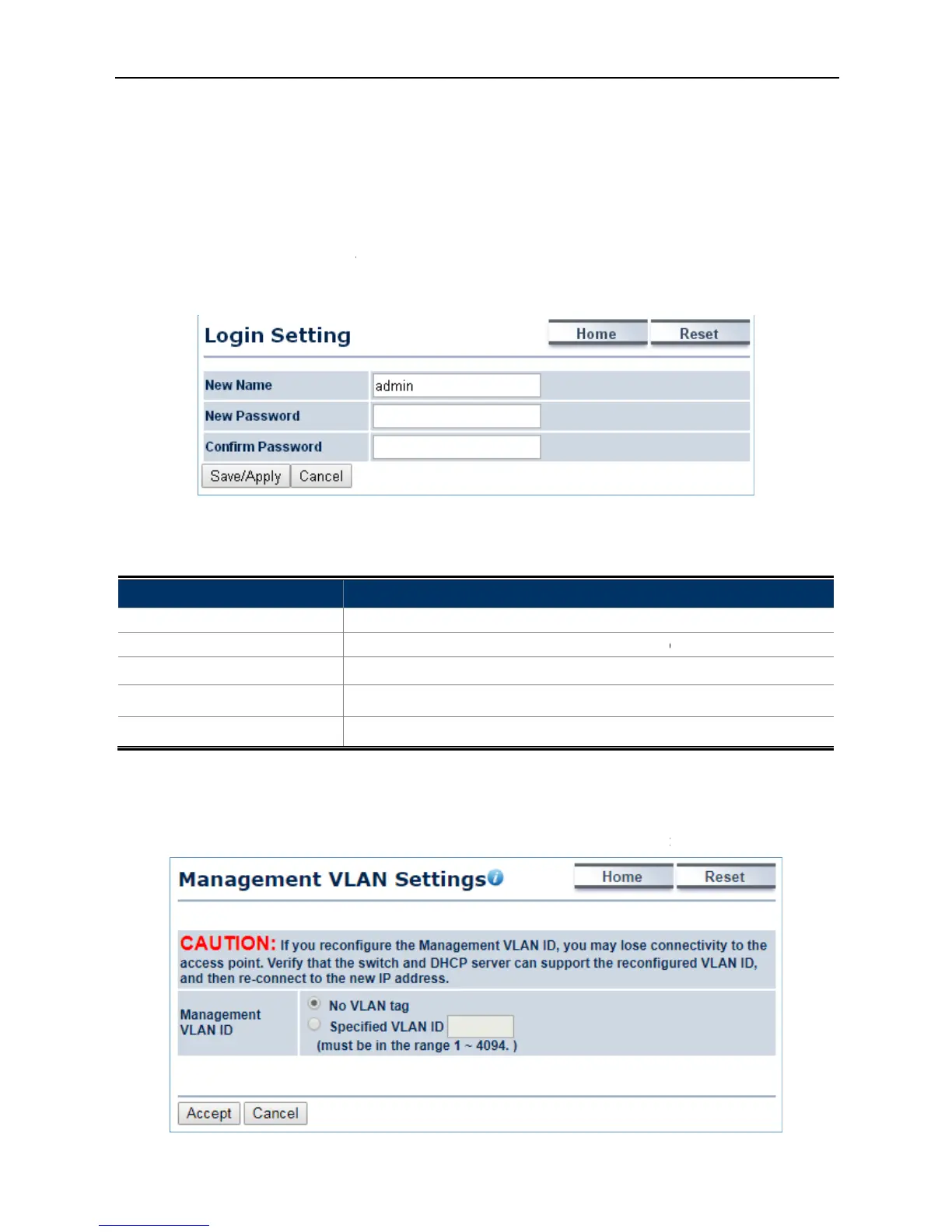
Enter a new username for logging
Enter a new password for logging in to the Web
4.6.2 Management VLAN
Click “Management
settings for management purpose
settings, Time settings, Password settings,
SNMP settings, CLI settings, Wi-
configure username and password of the login account.
4-40 Administration (Password Settings)
The page includes the following settings
Enter a new username for logging
Enter a new password for logging in to the Web
-enter the new password for confirmation.
Save/Apply to apply all changes.
Cancel to cancel the settings.
configure the management VLAN settings.
Figure 4-41 Management VLAN
configure username and password of the login account.
configure the management VLAN settings.



 To Next Page