The page includes the following settings
Select log type to filter the records.
4.3 System
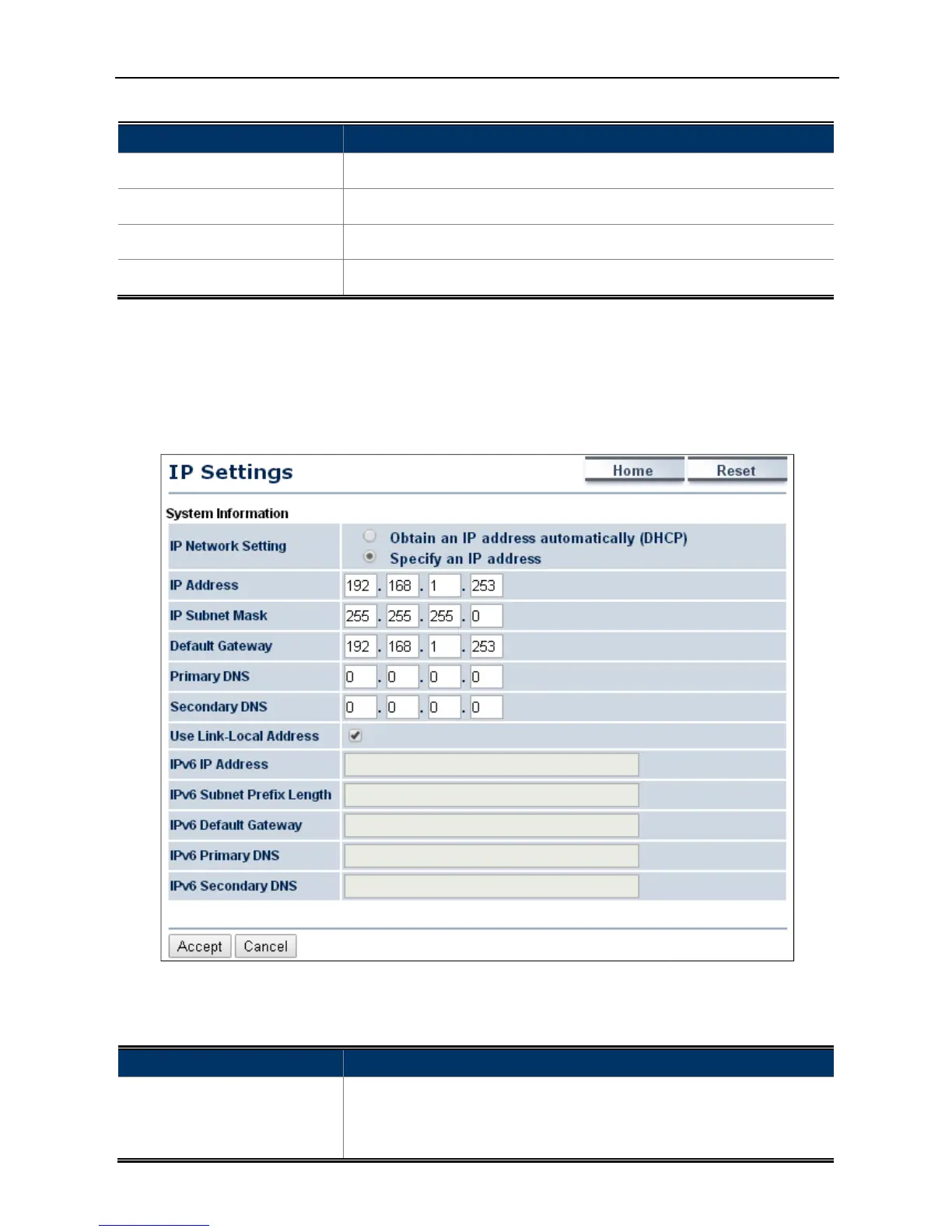
4.3.1 IP Settings
Click “System
IP Settings”
to configure the LAN IP address.
The page includes the following settings
The page includes the following settings
Select log type to filter the records.
Save to save the records.
Refresh to update the current data.
Clear to erase the records.
to configure the LAN IP address.
Figure 4-12 LAN IP Settings
The page includes the following settings
Obtain an IP address automatically (
to configure the AP to use static IP.
to configure the AP to use static IP.



 To Next Page