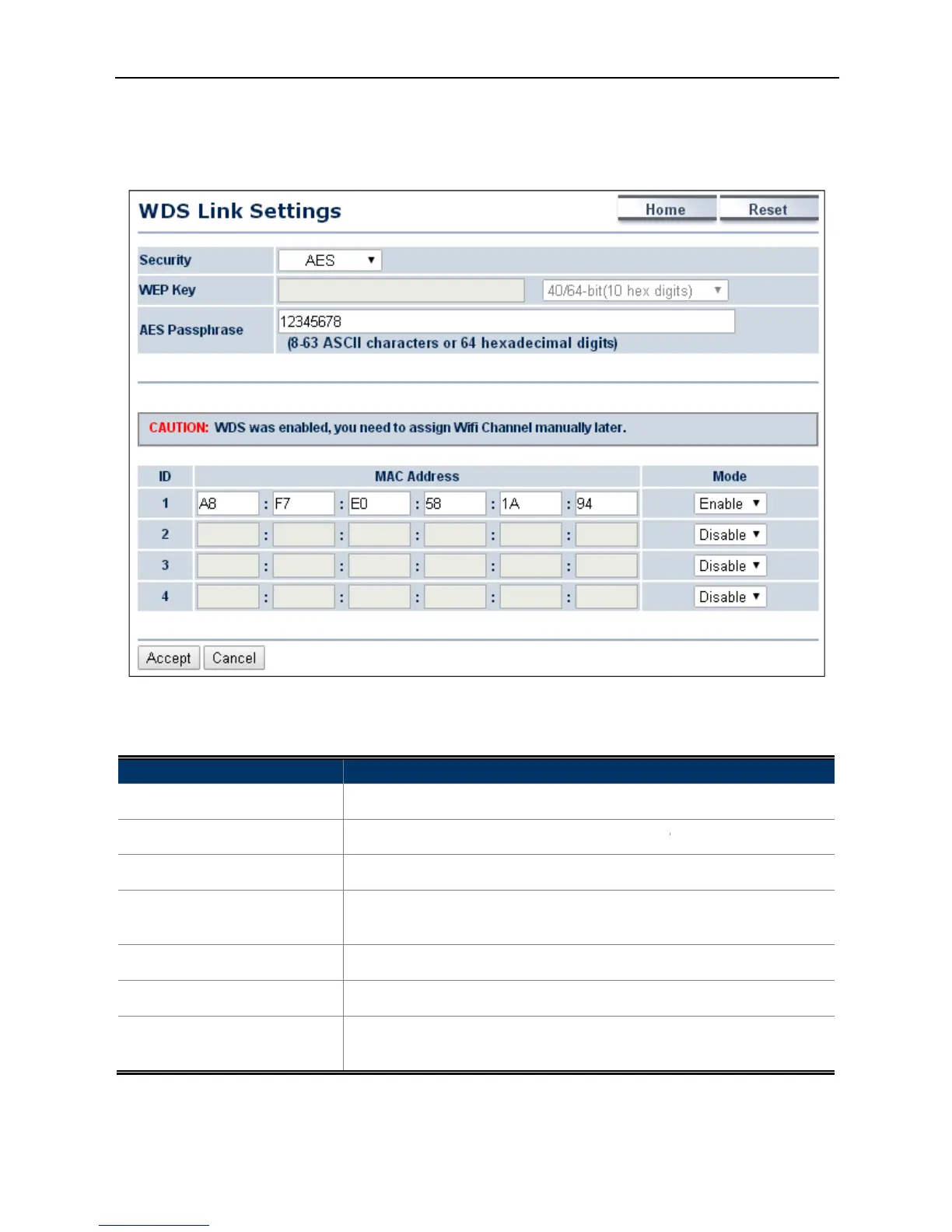
4.5.2 WDS Link Settings
Go to the “Operation Mode”
page to configure the device as
to configure the WDS link settings
The page includes the following settings
Enter the WEP key if security
Select Disable or Enable to
page to configure the device as
to configure the WDS link settings
-27 WDS Link Settings – WDS Bridge Mode
The page includes the following settings
security: None, WEP, or AES.
Enter the WEP key if security
passphrase if security is selected
wireless MAC address of the AP
Select Disable or Enable to
Accept to save the settings.
cancel the unsaved changes and revert to the previous
security: None, WEP, or AES.
cancel the unsaved changes and revert to the previous



 To Next Page