The page includes the following settings
• Use Router As DHCP
Server
Specify the starting IP address for
Enter the IP address of the WINS server.
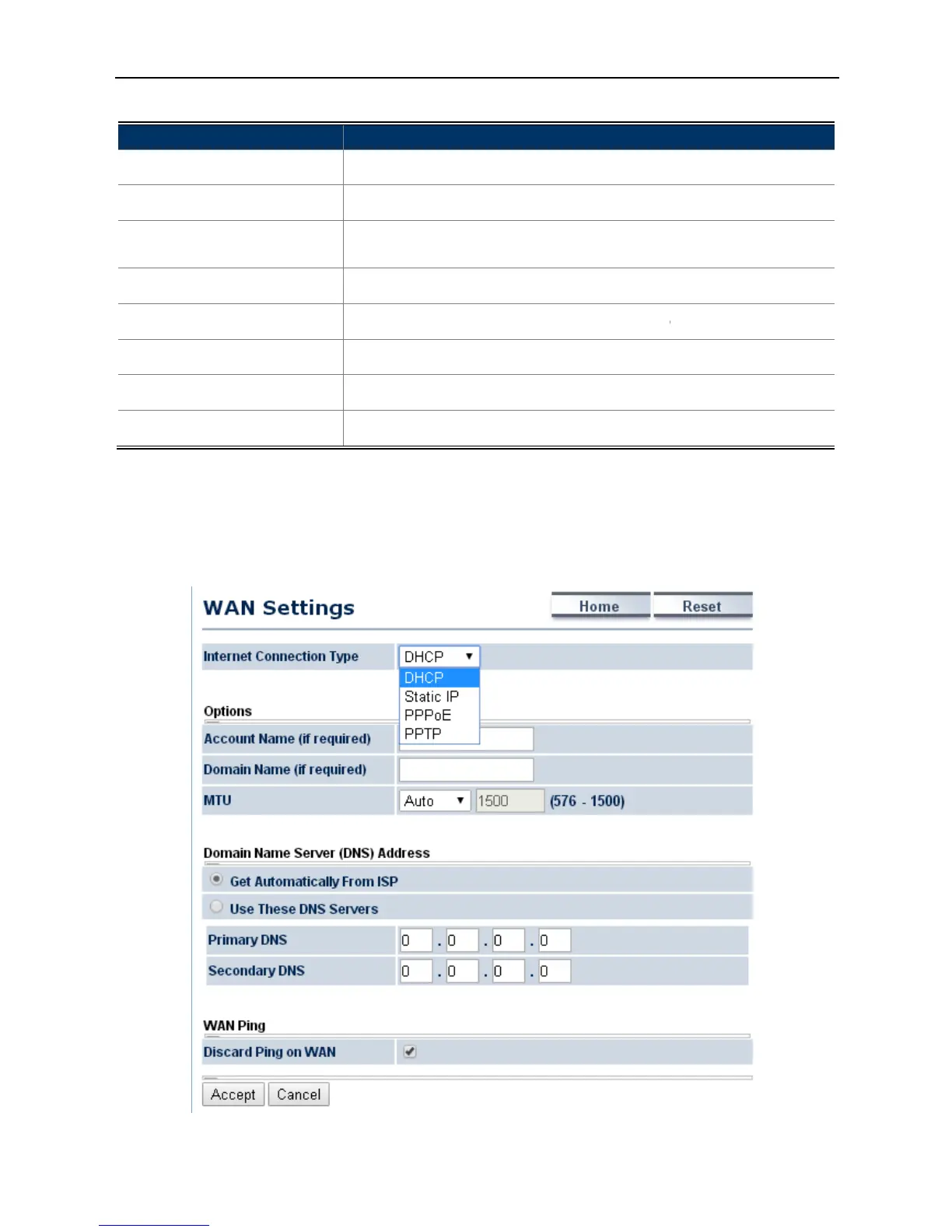
4.4.2 WAN Settings
Go to the “Operation Mode”
page to configure the device as
to configure the device’s WAN settings.
The page includes the following settings
LAN subnet mask of the AP.
it to enable DHCP server.
In here the device is acting as a router.
Specify the starting IP address for
ending IP address for the
Enter the IP address of the WINS server.
Accept to apply the setting.
Cancel to cancel the setting.
page to configure the device as
to configure the device’s WAN settings.
The WAN settings should be provided by
Figure 4-15 WAN Settings – All
In here the device is acting as a router.



 To Next Page