User Manual of WAP-500N/WBS-500N
-45-
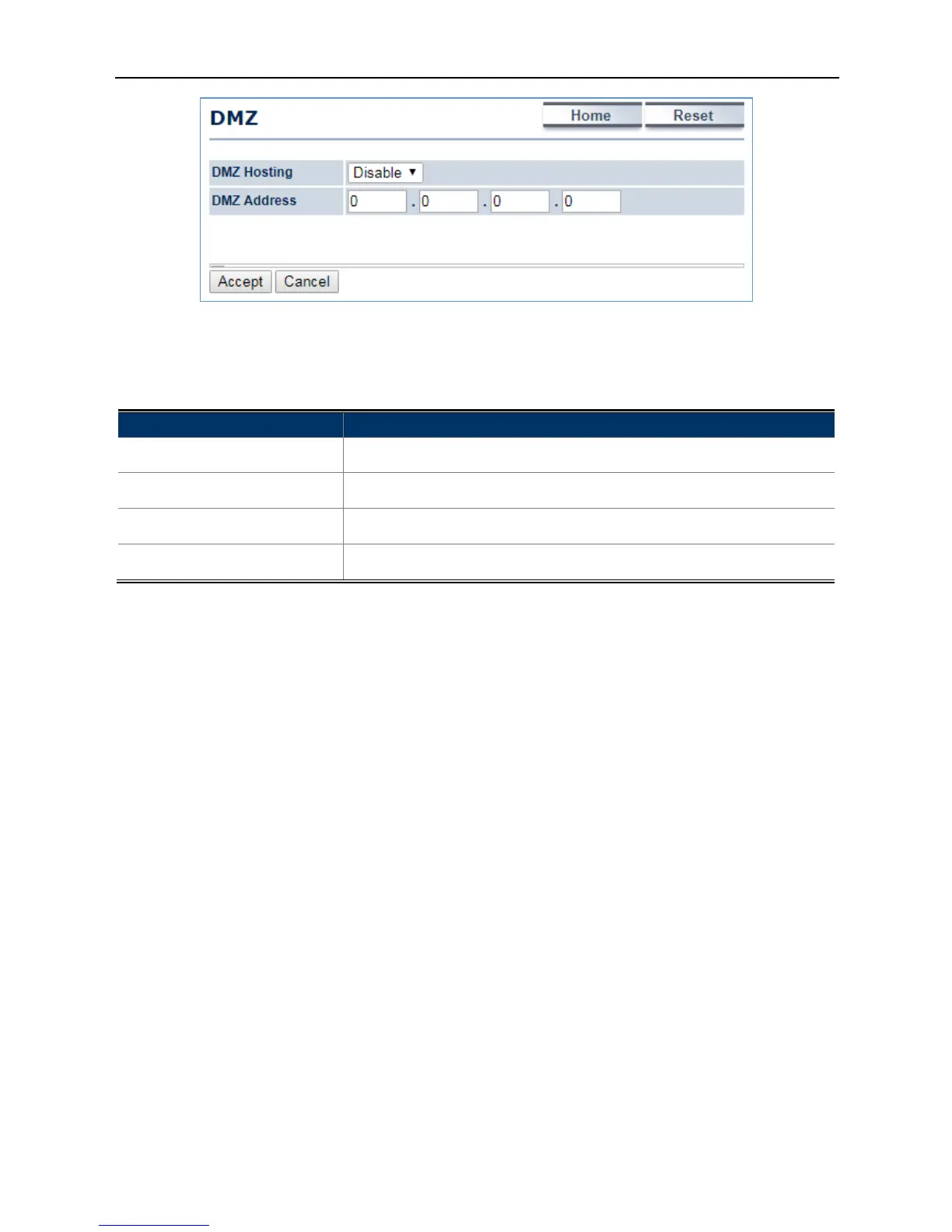
Figure 4-23 DMZ
The page includes the following settings:
Object Description
• DMZ Hosting
Select Enable DMZ to activate DMZ functionality.
• DMZ Address
Enter an IP address of a device on the LAN.
• Accept
Click Accept to apply the setting.
• Cancel
Click Cancel to cancel the setting.



 To Next Page