The security mode includes the following settings
Specify the security password. For security, each typed character is
• Group Key Update Interval
Specify how often, in seconds, the group key changes.
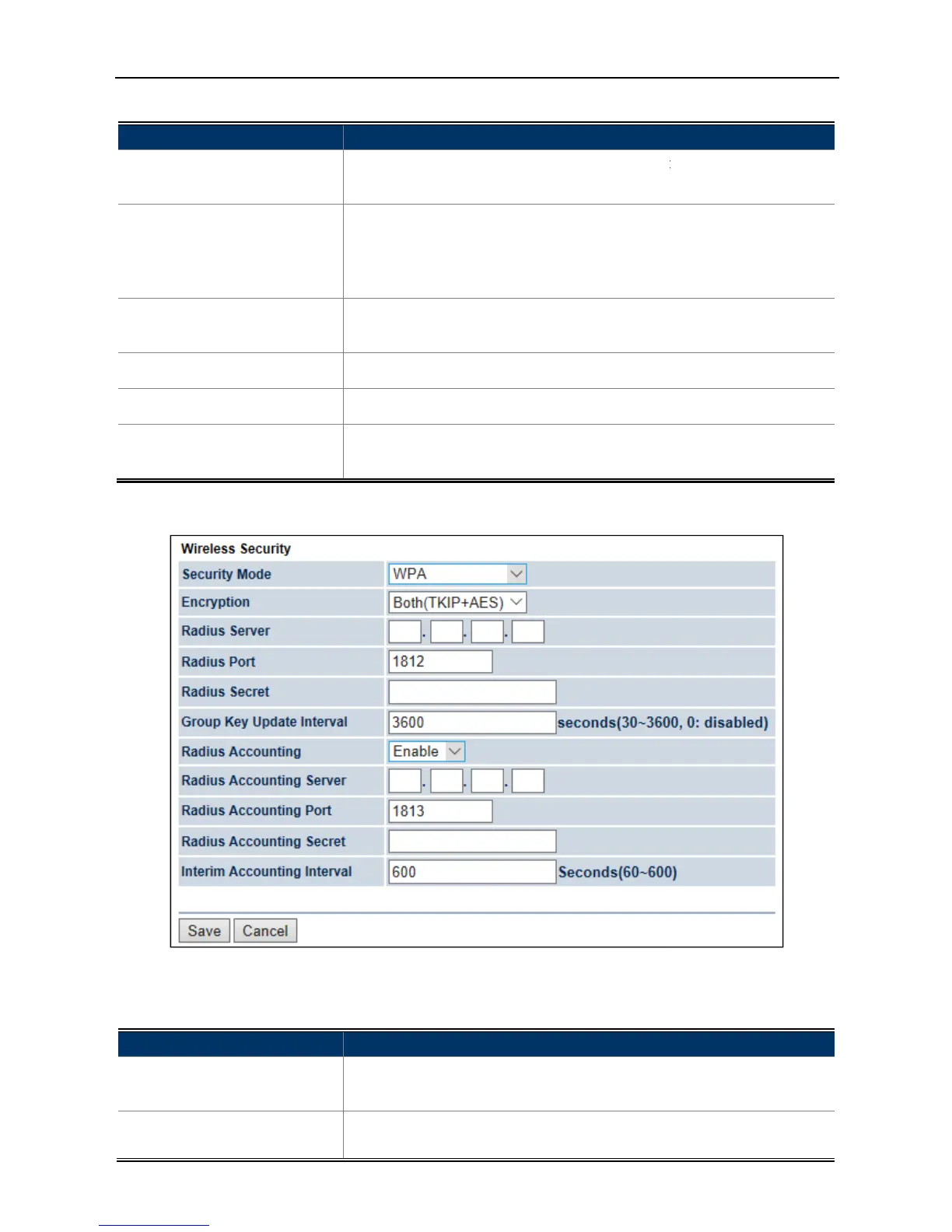
WPA (WPA Enterprise)
Figure 4
includes the following settings
The security mode includes the following settings
WPA-PSK Mixed from the drop-
down list to configure the wireless
TKIP: automatic encryption with WPA-
PSK; requires passphrase.
AES: automatic encryption with WPA2-
Specify the security password. For security, each typed character is
Specify how often, in seconds, the group key changes.
Save to save the settings.
cancel the unsaved changes and revert to the previous
35 Security Settings – WPA (WPA Enterprise)
includes the following settings
down list to configure the wireless network
down list to configure the wireless
PSK; requires passphrase.
Specify the security password. For security, each typed character is
Specify how often, in seconds, the group key changes.
cancel the unsaved changes and revert to the previous
down list to configure the wireless network



 To Next Page