User Manual of WAP-500N/WBS-500N
-64-
The page includes the following settings:
Object Description
• Management VLAN ID
If your network includes VLANs and if tagged packets need to pass
through the Access Point, enter the VLAN ID. Otherwise, select No VLAN
tag.
• Accept
Click Accept to apply the changes.
• Cancel
Click Cancel to cancel the settings.
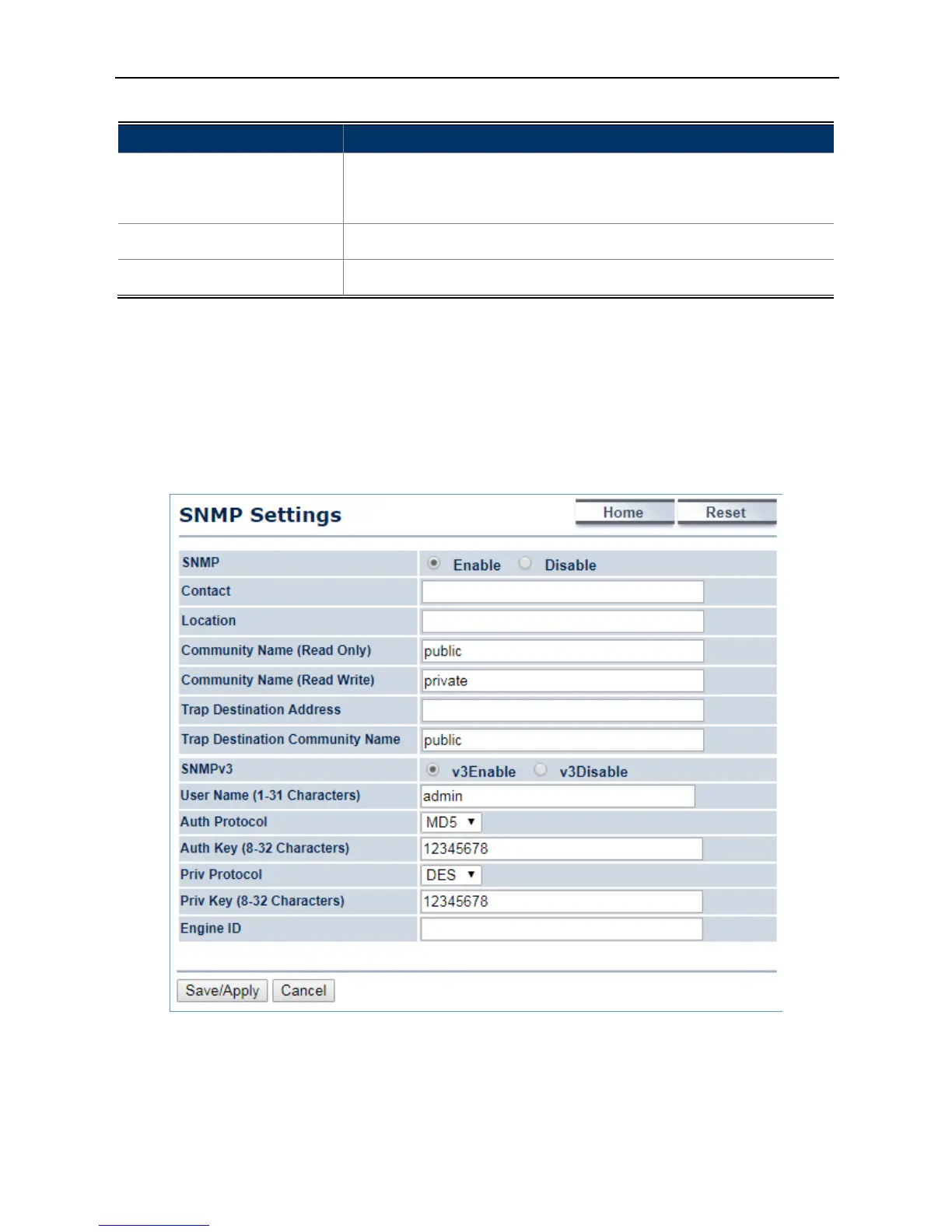
4.6.3 SNMP Settings
SNMP is used in network management systems to monitor network-attached devices for conditions that warrant
administrative attention.
Click “Management
SNMP Settings” to configure SNMP settings.
Figure 4-42 SNMP Settings



 To Next Page