4.5 Wireless
In this section,
wireless related settings in different operation modes
4.5.1 Wireless Network
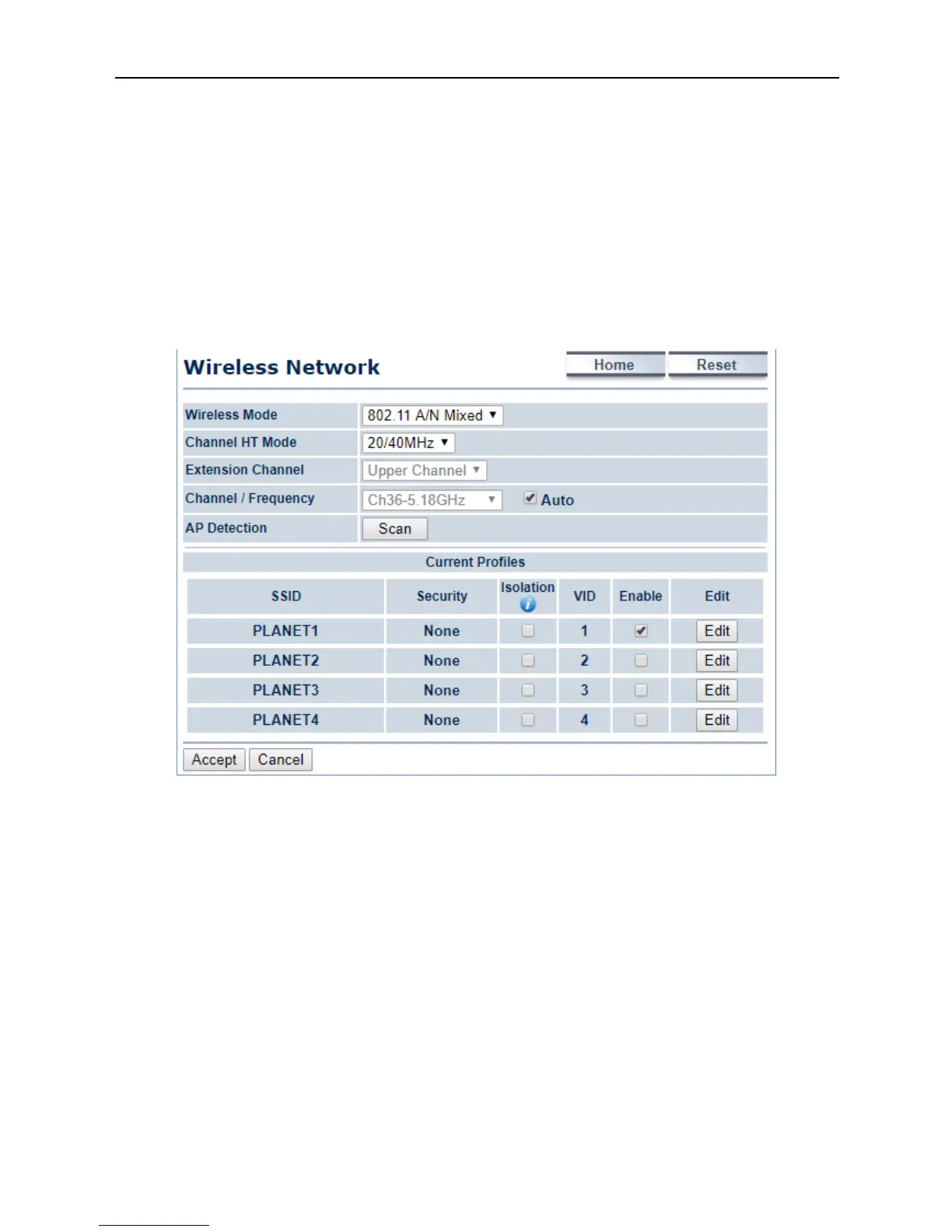
Click “Wireless
page may vary according to the selected operation mode.
In the AP/WDS AP mode, click the
to configure the SSID profile
for the wireless network.
wireless related settings in different operation modes
to configure the wireless basic settings. The wireless settings
page may vary according to the selected operation mode.
4-24 Wireless Network – AP/WDS AP Mode
button on the “Wireless Network”
for the wireless network.
to configure the wireless basic settings. The wireless settings



 To Next Page