User’s Manual of WNRT-300
-7-
Chapter 2. Hardware Interface
2.1. Overview
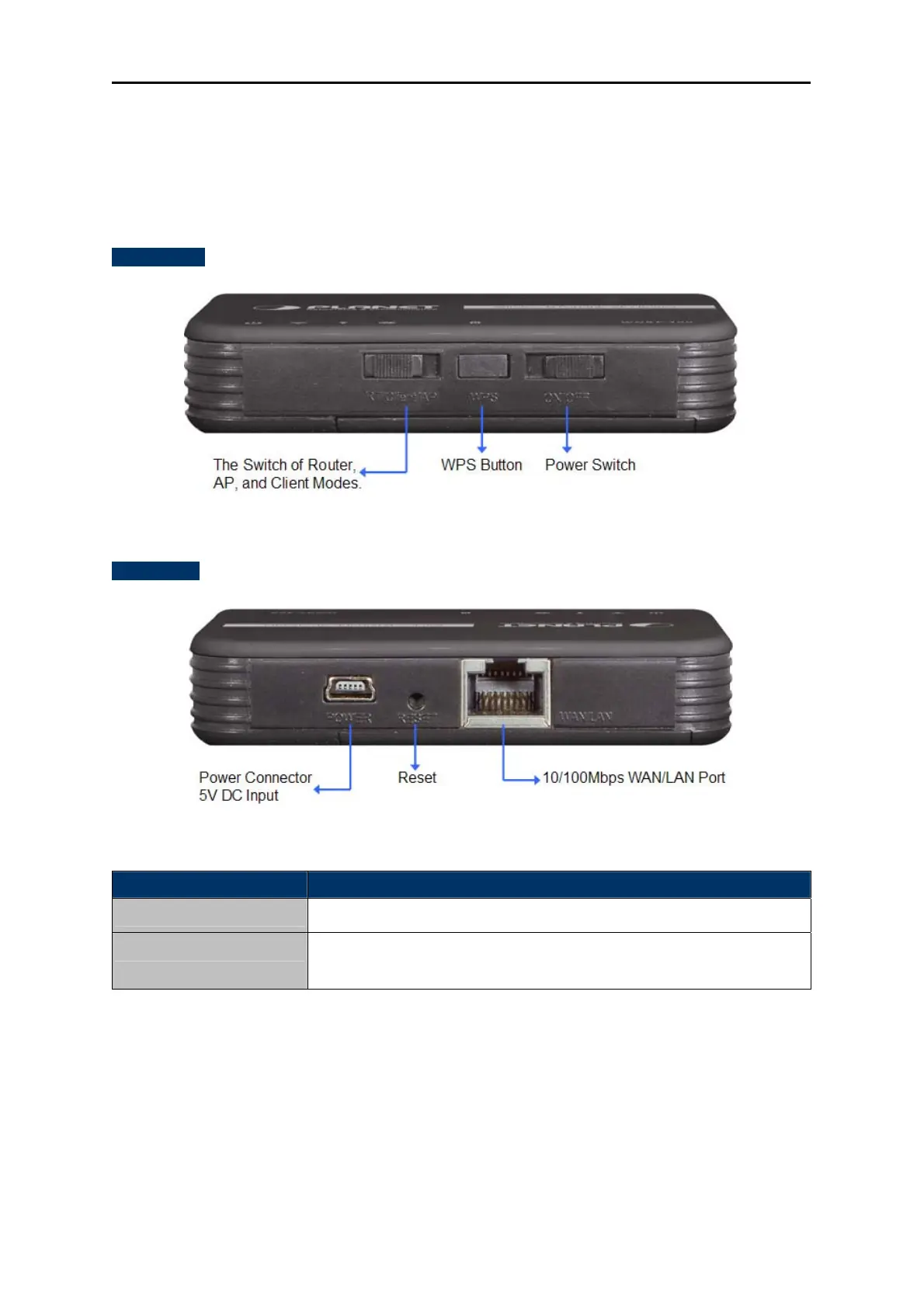
Front Panel
Figure 2-1
Rear Panel
Figure 2-2
Object Description
WPS Button
Press the button for about 5 seconds to activate the WPS function.
Reset
Reset the WNRT-300 to the factory default settings by holding the
Reset button and pressing down for about 5 seconds.
2.2. LED Indications
The LEDs on the top panel indicate the instant status of system power, wireless data activity, WPS,
port links, battery, and help monitor and troubleshoot when needed. Figure 2-3 and Table 2-1 show the
LED indications of the WNRT-300.



 To Next Page