User’s Manual of WNRT-300
-46-
Automatic Downlink
Speed
Check the box to adjust the downlink speed automatically by the
WNRT-300. Or enter the downlink data rate manually in the field
below.
QoS Rule Setting
To set the priority rule, you can appoint the computer by IP address
or MAC address, and enter it in the correct field. Select minimum or
maximum bandwidth, and then fill the uplink and downlink data
rate into the field.
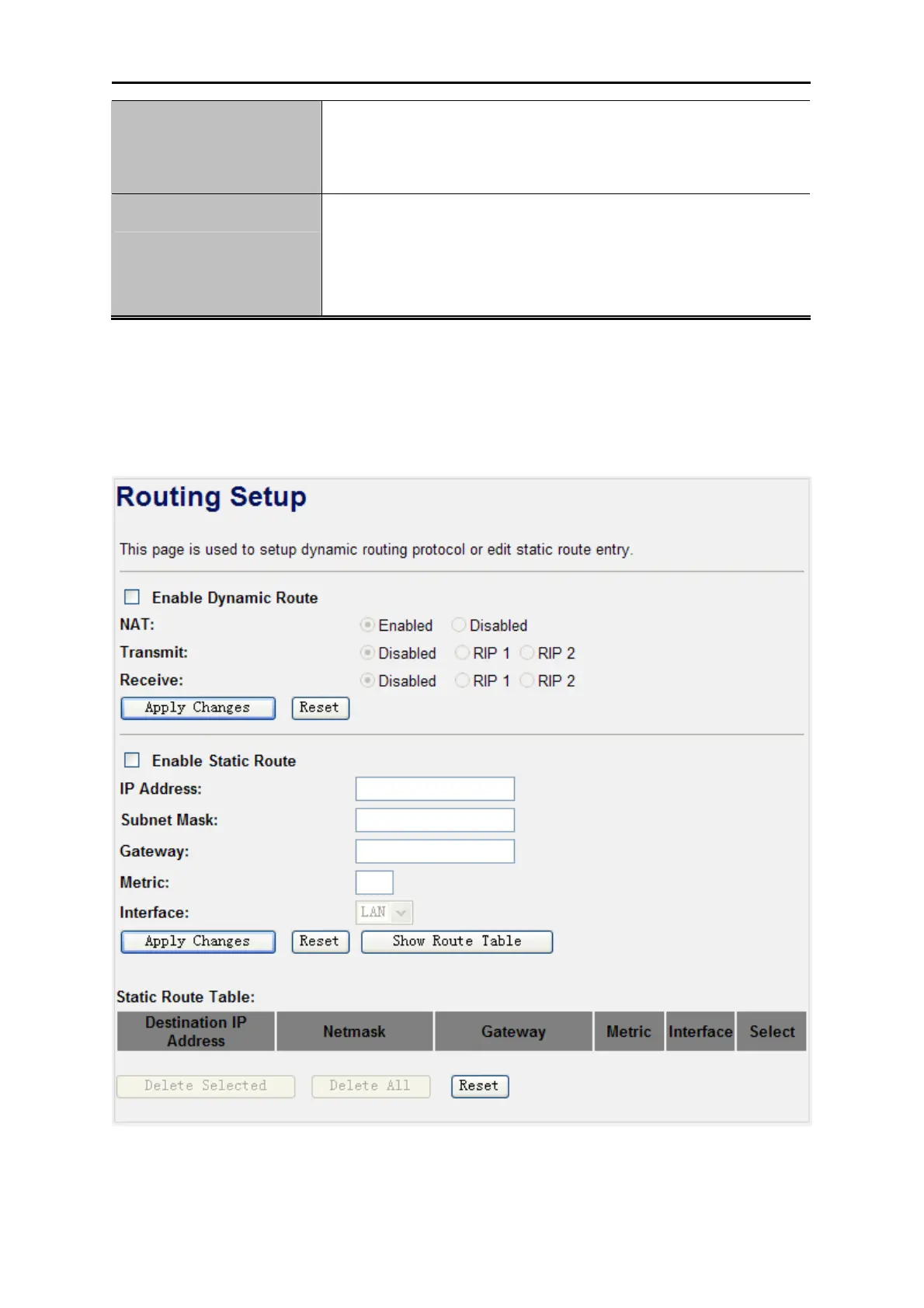
4.8. Route Setup
The page is used to setup dynamic routing protocol or edit static route entry. After the configuration,
please click the “Apply Changes” button to save the settings.
Figure 4-32 Routing Setup



 To Next Page