User’s Manual of WNRT-300
-42-
4.6.5. URL Filtering
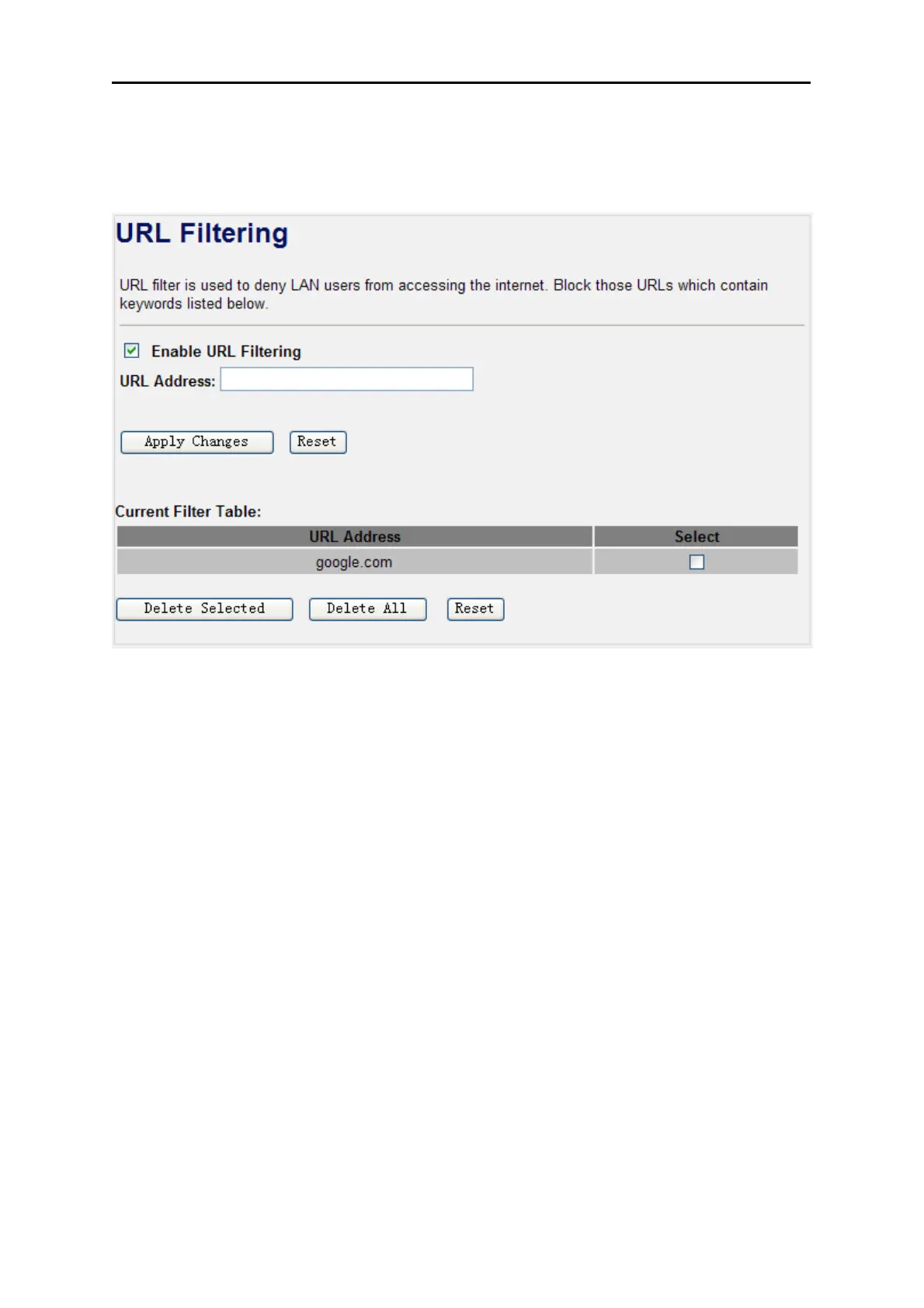
Choose menu “Firewall URL Filtering”, and you can configure which URL addresses to be blocked.
After the configuration, please click the “Apply Changes” button to save the settings.
Figure 4-28 URL Filtering
Check the “Select” box of which rule you want to delete, and then click the “Delete Selected” button to
delete it.
4.6.6. DMZ
This page allows you to set a De-militarized Zone (DMZ) to separate internal network and Internet.
Choose menu “Firewall DMZ”, and you can configure the private IP address of DMZ. The DMZ
feature allows one local host to be exposed to the Internet for a special-purpose service such as
Internet gaming or video conferencing. After the configuration, please click the “Apply Changes” button
to save the settings.



 To Next Page