User’s Manual of WNRT-300
-36-
4.5.2. WAN Interface
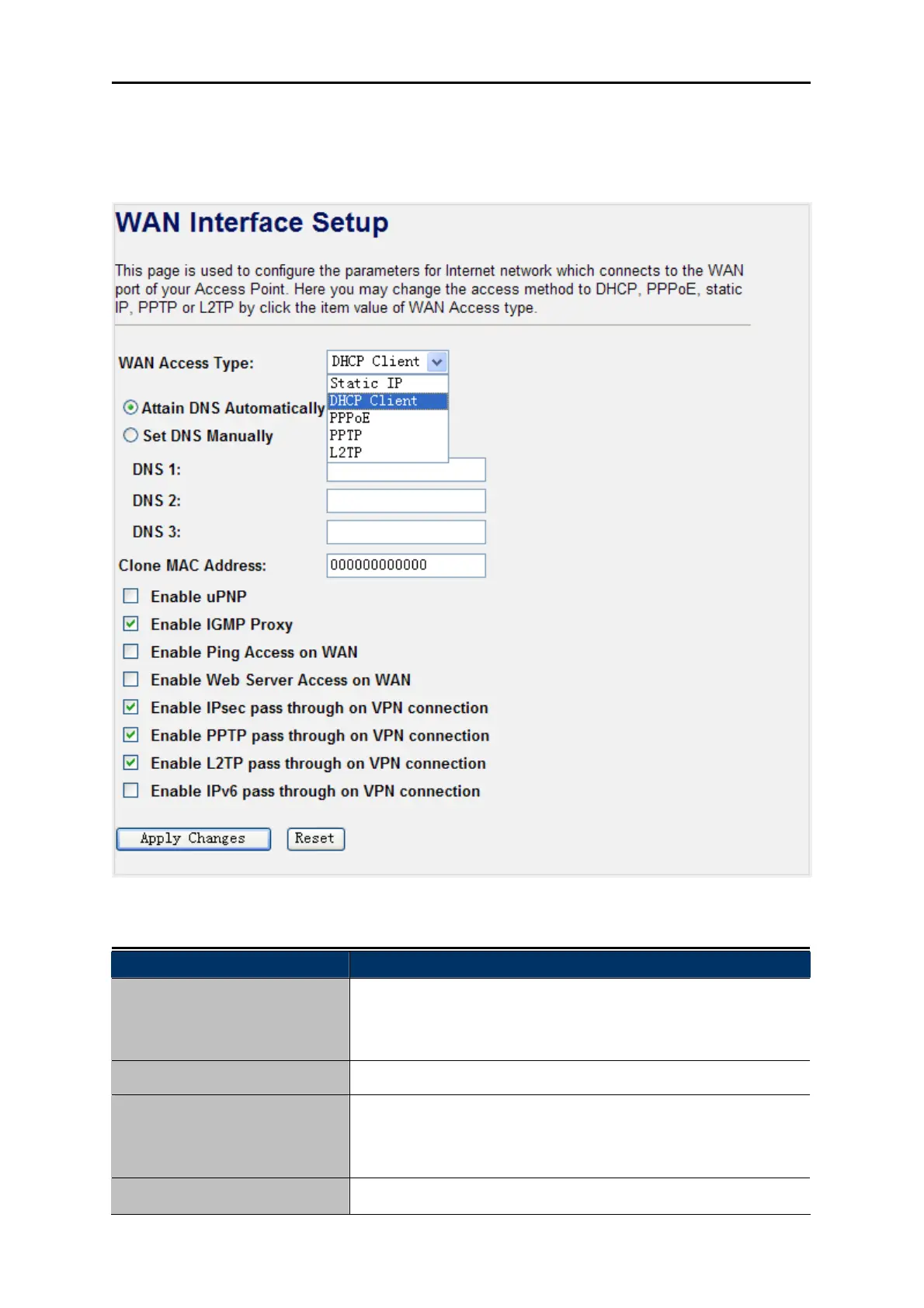
Choose menu “TCP/IP Settings WAN Interface”, and you can configure the parameters for the
Internet network. After the configuration, please click the “Apply Changes” button to save the settings.
Figure 4-22 WAN Interface
Object Description
WAN Access Type
Please select the corresponding WAN Access Type for the
Internet, and fill the correct parameters from your local ISP in the
fields which appear below.
Clone MAC Address
You can input a MAC address here for using clone function.
Enable uPNP
Check the box to enable the uPNP function. The uPNP devices
can be automatically discovered by the uPNP service application
on the LAN.
Enable IGMP Proxy
Check the box to enable the IGMP Proxy function.



 To Next Page