User’s Manual of WNRT-300
-40-
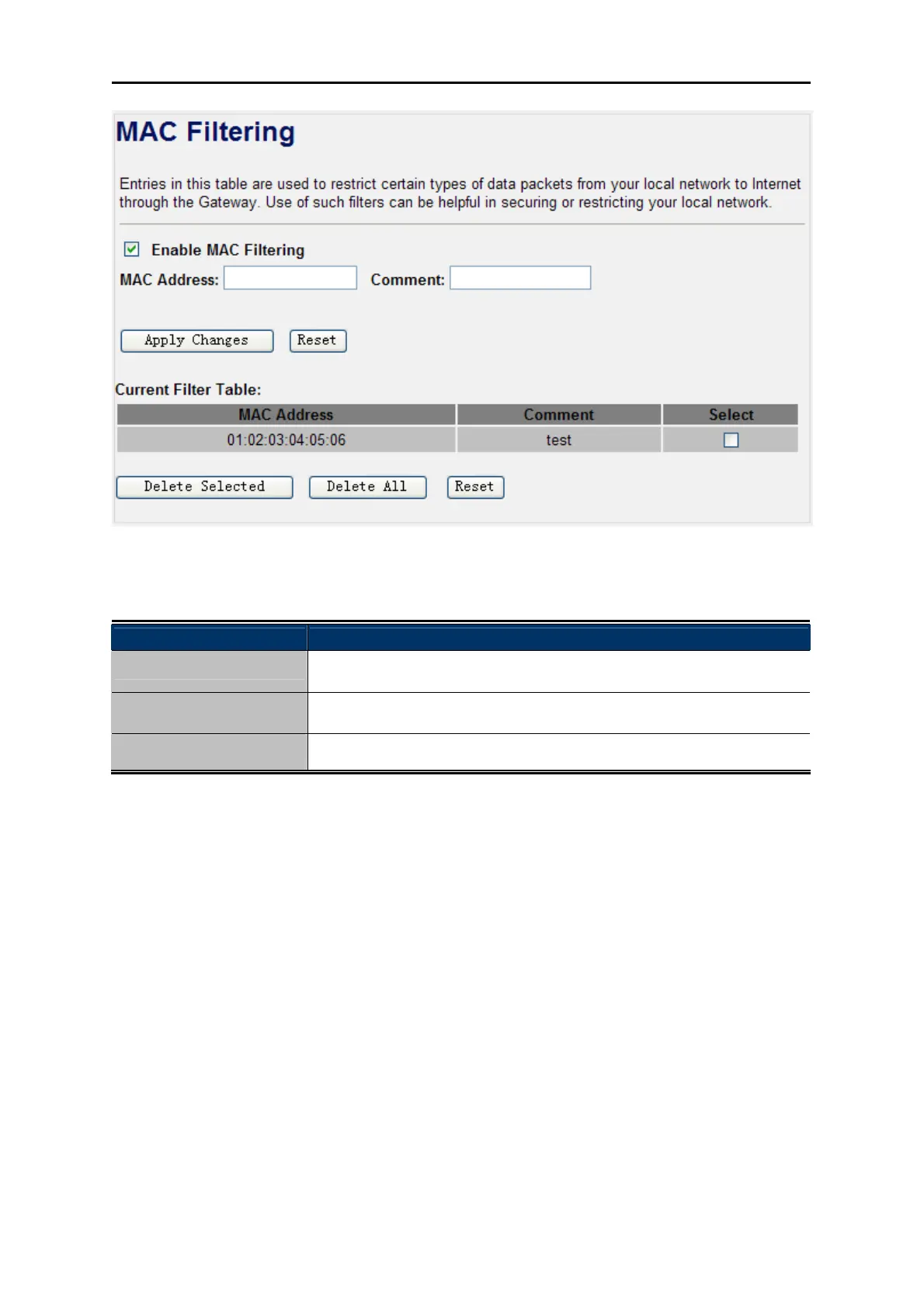
Figure 4-26 MAC Filtering
Object Description
Enable MAC Filtering
Enable MAC filtering
MAC Address
Add MAC address you want to control
Comment
The description of this setting
Check the “Select” box of which rule you want to delete, and then click the “Delete Selected” button to
delete it.
4.6.4. Port Forwarding
Choose menu “Firewall Port Forwarding”, and you can configure to re-direct a particular range of
service port numbers from the Internet network to a particular LAN IP address. It helps users to host
some servers behind the firewall. After the configuration, please click the “Apply Changes” button to
save the settings.



 To Next Page