User’s Manual of WNRT-300
-19-
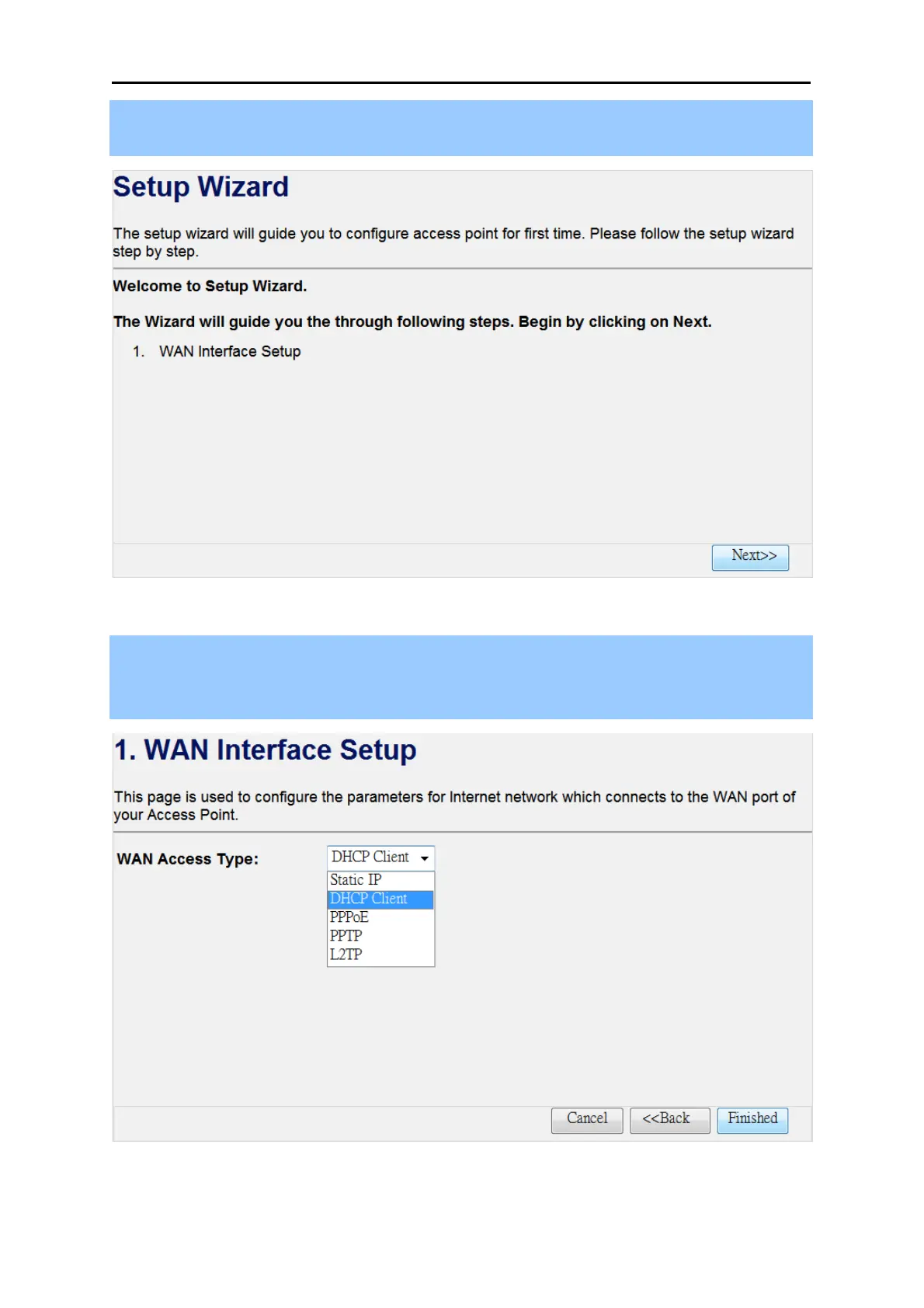
Step 1. The figure below is the screen of the Setup Wizard in Router Mode. Please click the
“Next>>” button to continue.
Figure 4-2
Step 2. Please select the corresponding WAN connection type of your Internet service, and fill the
correct parameters in the blanks. Then click the “Finished” button to save the settings and
reboot to take effect.
Figure 4-3



 To Next Page