User’s Manual of WNRT-617
-21-
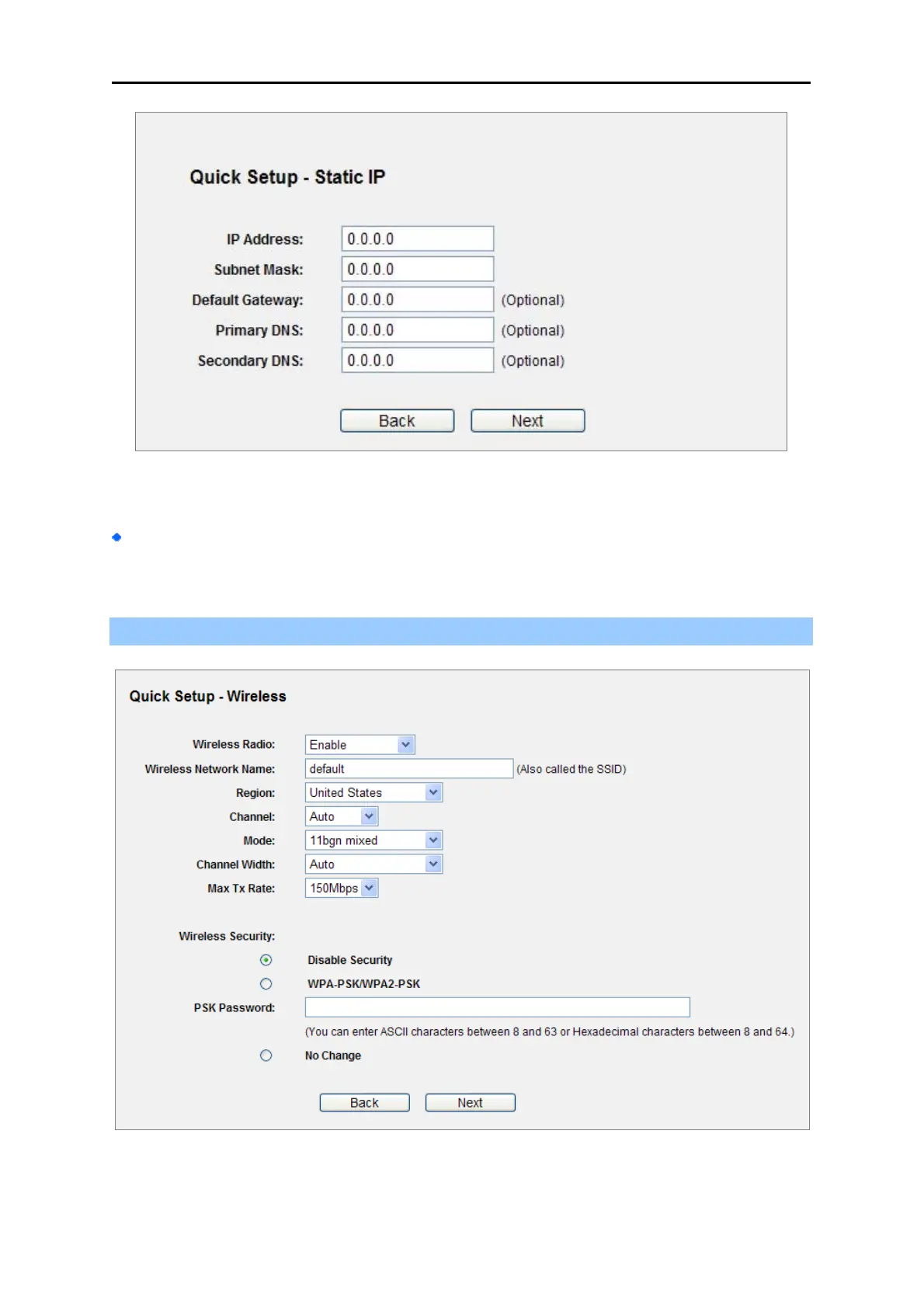
Figure 4-15 Quick Setup - Static IP
If the connection type detected is Dynamic IP, the next screen will appear as shown in Figure
4-16. Then you can go on with the wireless configuration.
Step 4. Click Next to continue, the Wireless settings page will appear as shown in Figure 4-16.
Figure 4-16 Quick Setup – Wireless



 To Next Page