User’s Manual of WNRT-617
-20-
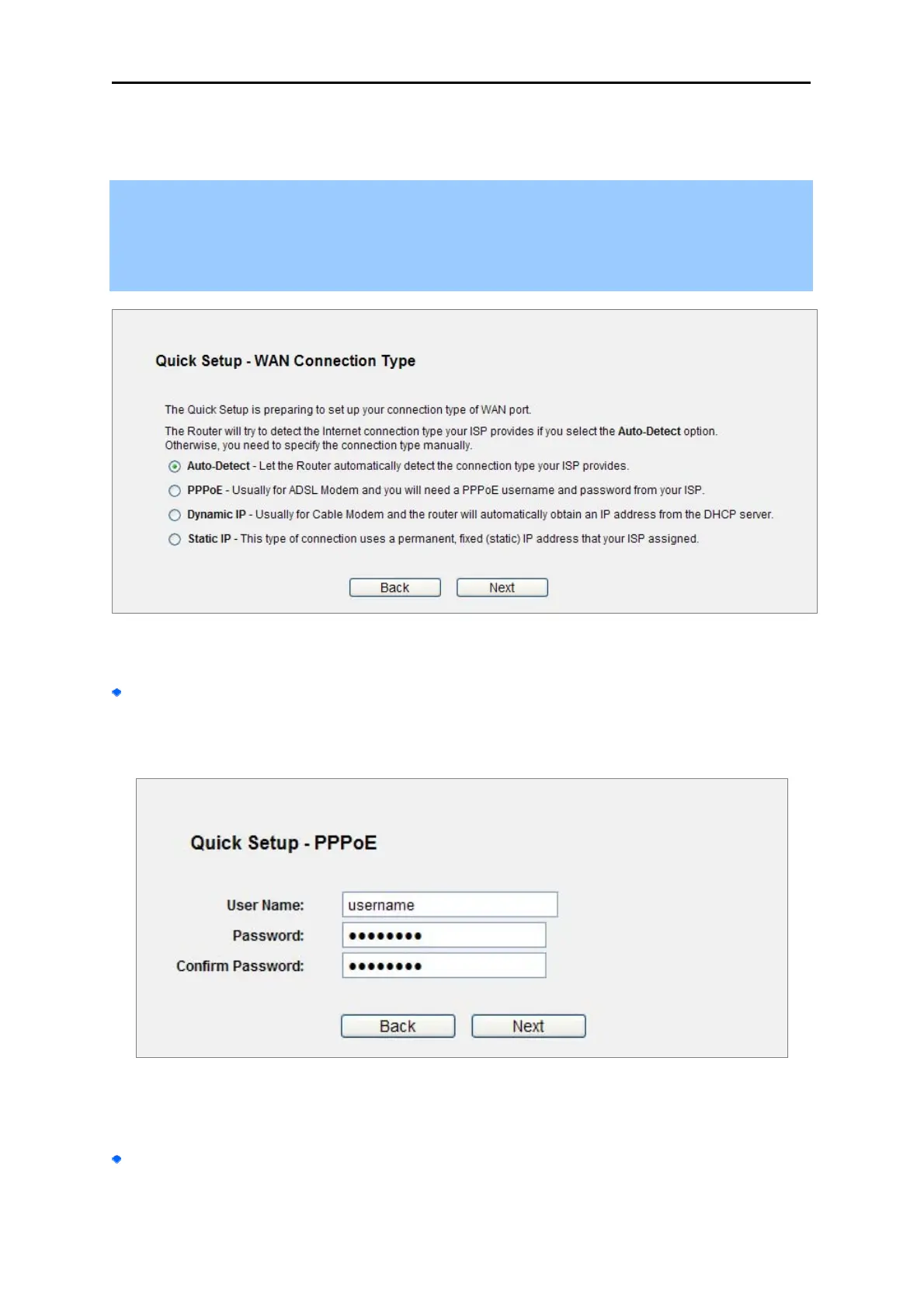
Click Next, and then WAN Connection Type page will appear, shown in Figure 4-13.
Step 3. Select Auto-Detect, the Router will automatically detect the connection type your ISP
provides. Make sure the cable is plugged into the WAN port before detection. The
appropriate configuration page will be displayed when an active Internet service is
successfully detected by the Router.
Figure 4-13
If the connection type detected is PPPoE, the next screen will appear as shown in Figure 4-14.
Enter the User Name and Password provided by your ISP. These fields are case-sensitive. If
you have difficulty with this process, please contact your ISP.
Figure
4-14 Quick Setup – PPPoE
If the connection type detected is Static IP, the next screen will appear as shown in Figure 4-15.
Enter the parameters in the corresponding blanks.



 To Next Page