2
18
Mini-101U
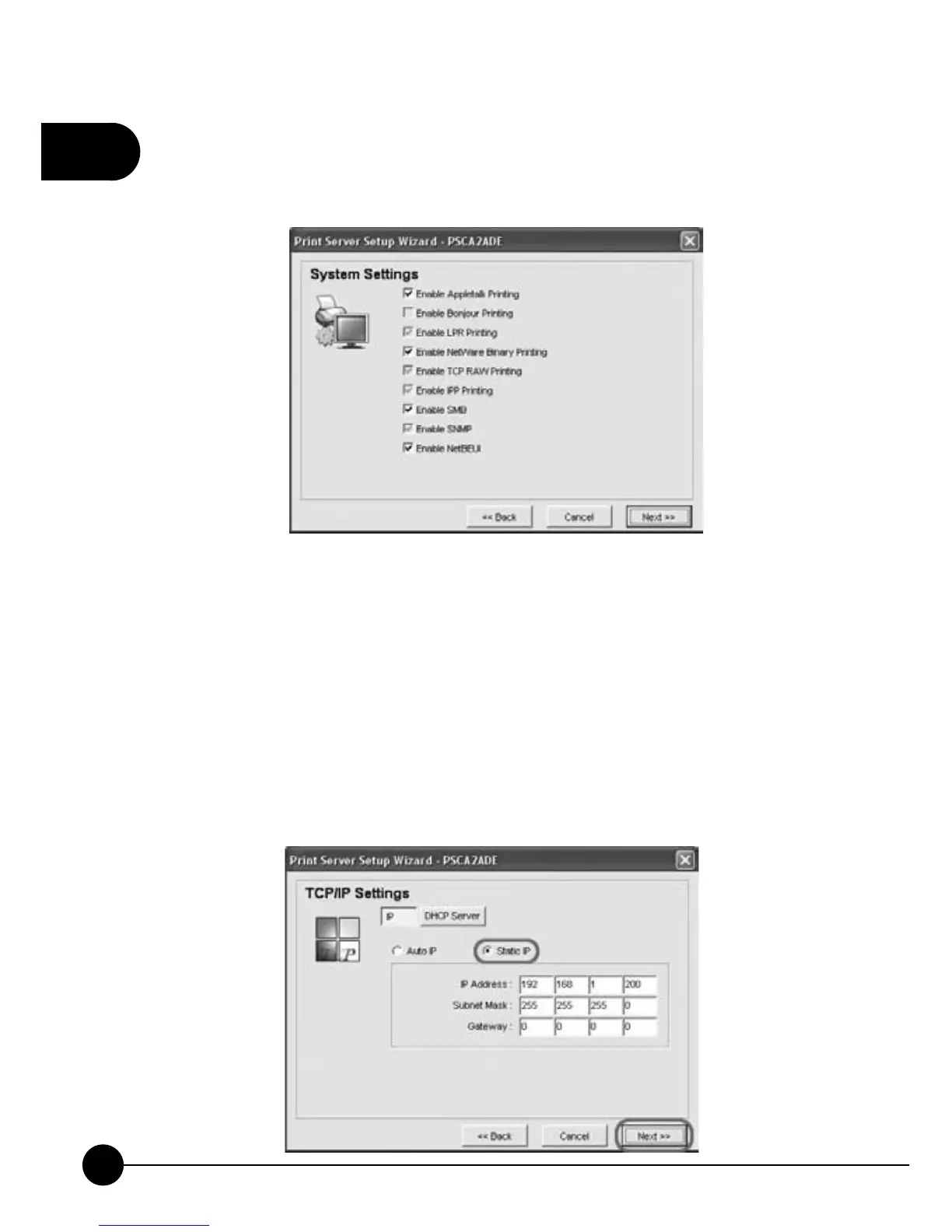
7.Choose the printing protocols needed by the system. All you need to do
is to check the check box or cancel the check to set up system settings.
ClickņNextŇto go to the next step.
8.According to your network settings to set up TCP/IP Settings for
the print server. You may chooseņStatic IPŇorņAuto IP.ŇIt is
recommended that you should assign a static IP for Mini-101U. If the
LAN does not have any DHCP server, you can chooseņDHCP Server
Ň to enable the DHCP server in Mini-101U. If you do not know the
related settings of DHCP Server, you can just chooseņDHCP Server
ęAuto.ŇBut before configuring DHCP server, you have to choose
assign a static IP address for Mini-101U, then you can continue configure
DHCP Server. ClickņNextŇto go to the next step.



 To Next Page