3.3.8. Save Settings
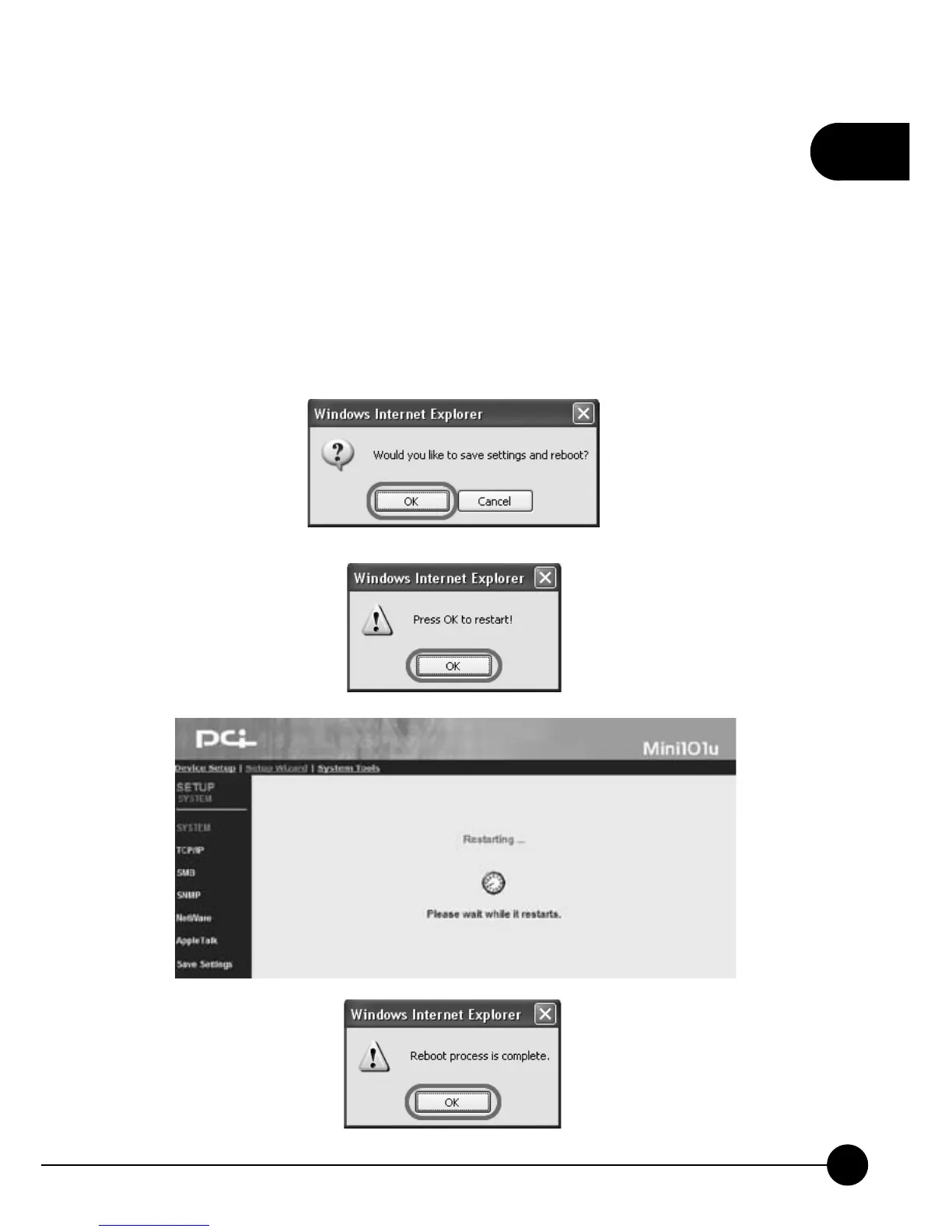
After finishing all the settings and clickņSave & Next,Ňit will show the
save settings and reboot dialog box. ClickņOKŇto continue, and please
DO NOT shut down the power when system rebooting. After 20 seconds,
the system will complete saving the settings and show theņReboot
process is completeŇbox, please clickņOKŇto go back to the system
status page.



 To Next Page