2
32
Mini-101U
1.2.3. Remote Ports
Remote ports can let you connect to the printer which locates on the other
LAN, but be aware that this utility only support TCP/IP protocols. Please
follow the steps below to start configuration.
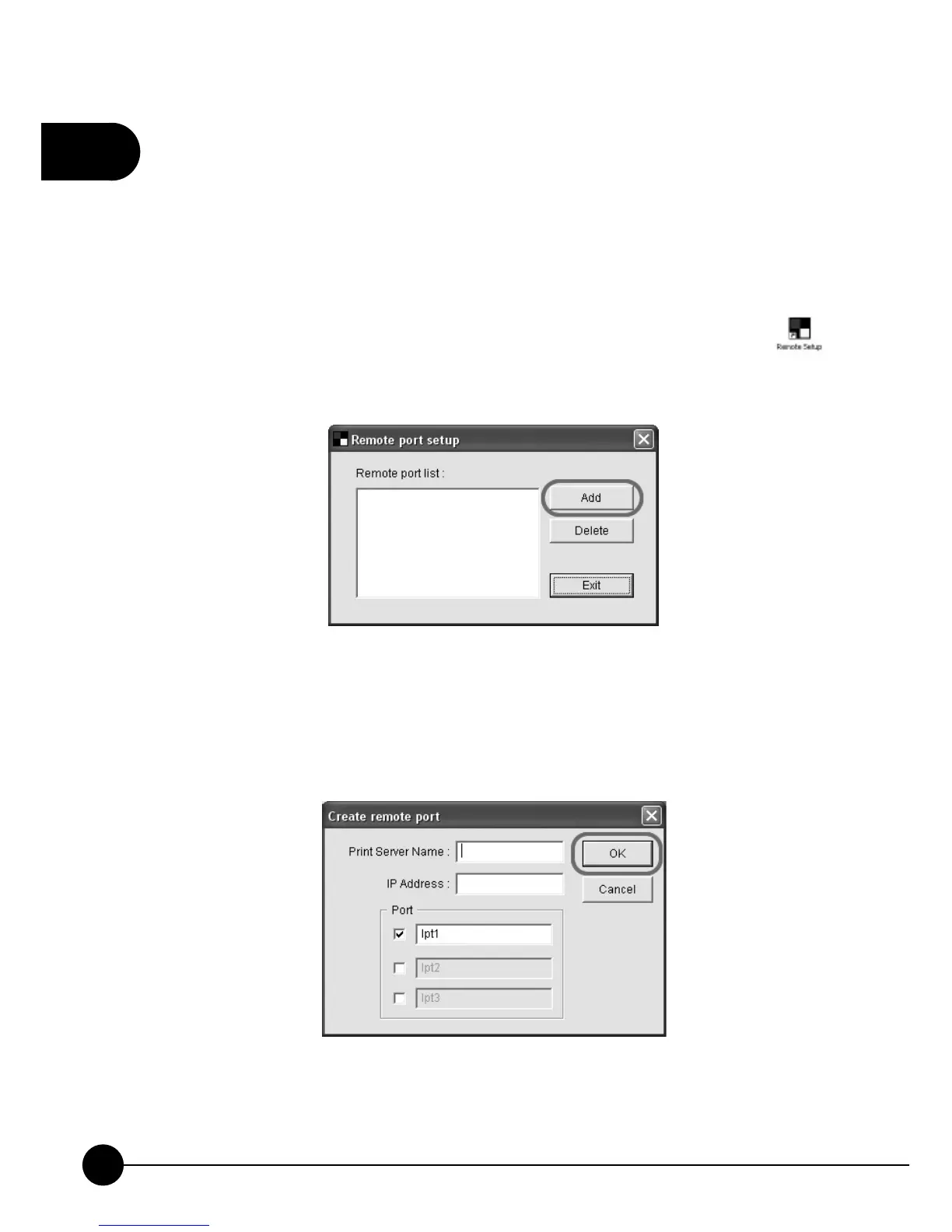
1.ClickņStartƖProgramsƖPrintServer UtilitiesŇand choose
on the list. If you want to set up remote ports, please clickņAddŇto
start setting up.
2.Type in the Print Server Name, IP Address and then choose the port
number which the print server is connecting to. ClickņOKŇand the
information of print server port which you just set up will shows in the
ņRemote port listŇbox.
3.In order to use remote ports, you have toņAdd a new printerŇand
choose the remote port which you just configured as the printer port
which you want to use.



 To Next Page