3.If you have already chosen and configured the print server port, Mini-
101U will automatically add a printer port in the computer. You can click
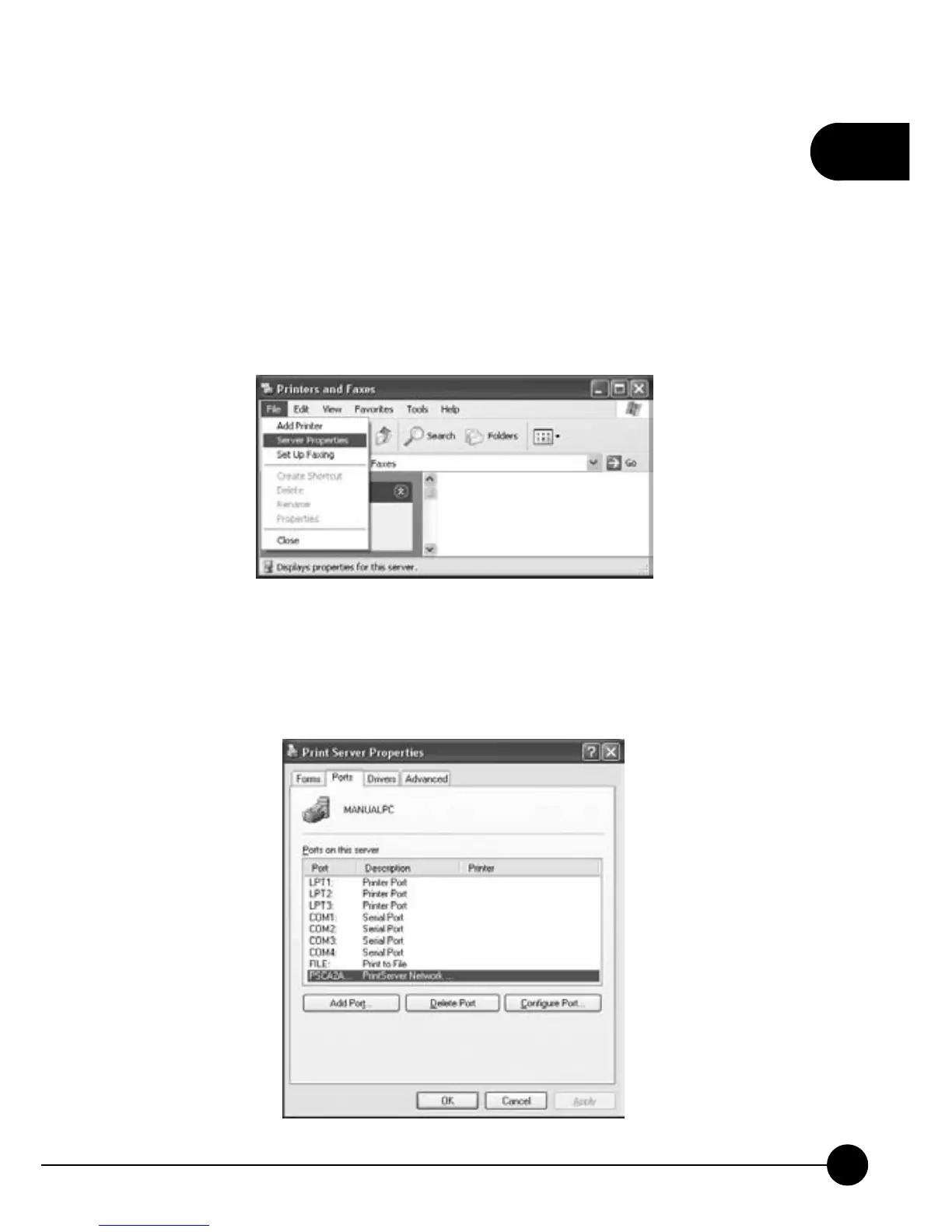
ņStartƖSettingsƖPrinters and FaxesŇand check the setting of the
printer there.
4.Enter the settings of the printer page, and clickņFileƖServer
PropertiesŇto check the properties of the server.Ą
5.ClickņPortsŇtab and you will seeņPS + last 6 digit of Print Server's
MAC IDŇas the printer port name and that means the printer server is
on the network and can communicate with other devices.



 To Next Page