2
34
Mini-101U
2. Add a New Printer on Windows
If you already install the utilities, no matter using Administrator mode or
Client mode, and set up a new printer port, you may follow the steps below
to add a new printer to the Windows OS
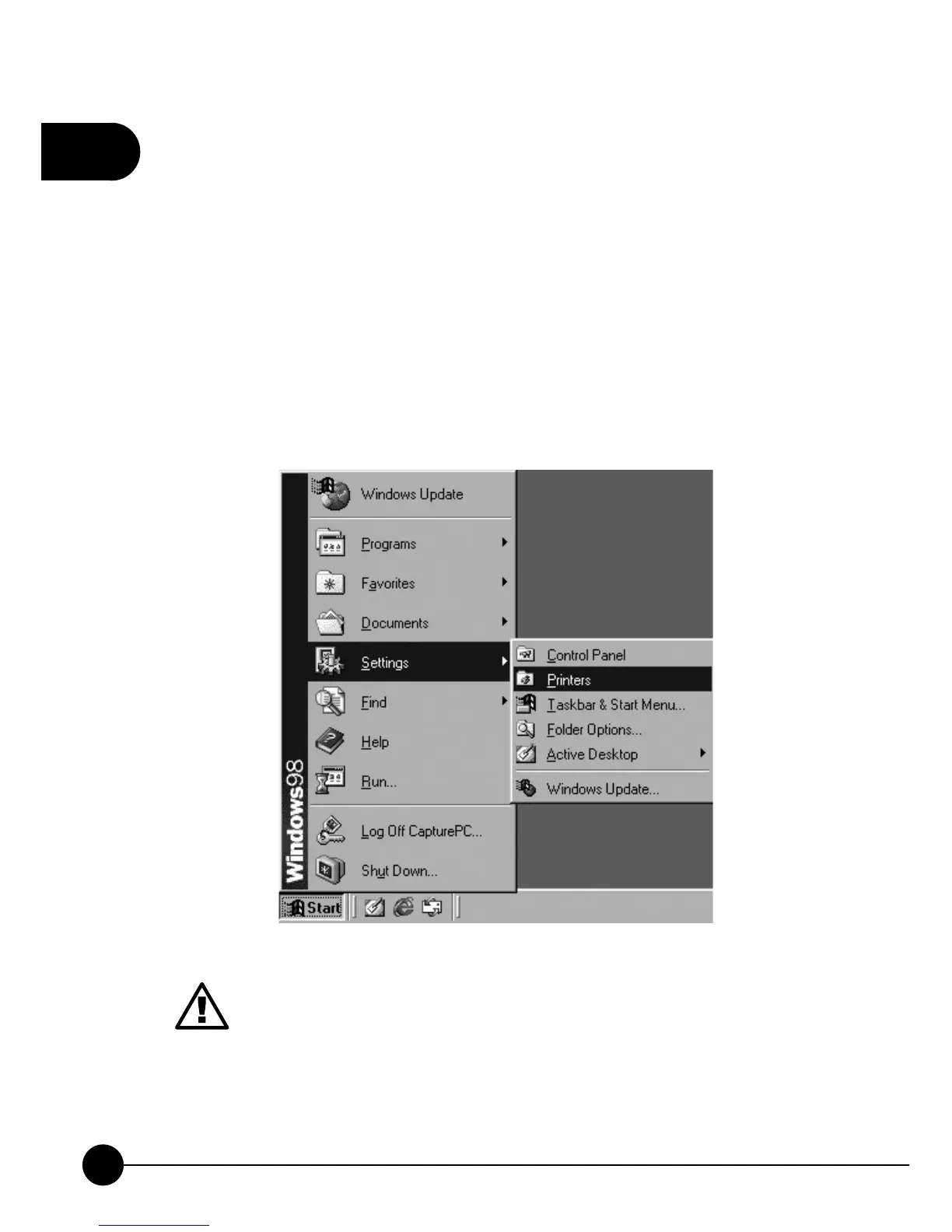
2.1. Windows 98
1.ClickņStartƖSettingsƖPrintersŇon the task bar to start adding a
printer.
Add Printer Wizard might need the driver for your printer, please
prepare the print server's driver disk or download the driver from
the Internet in advance.



 To Next Page