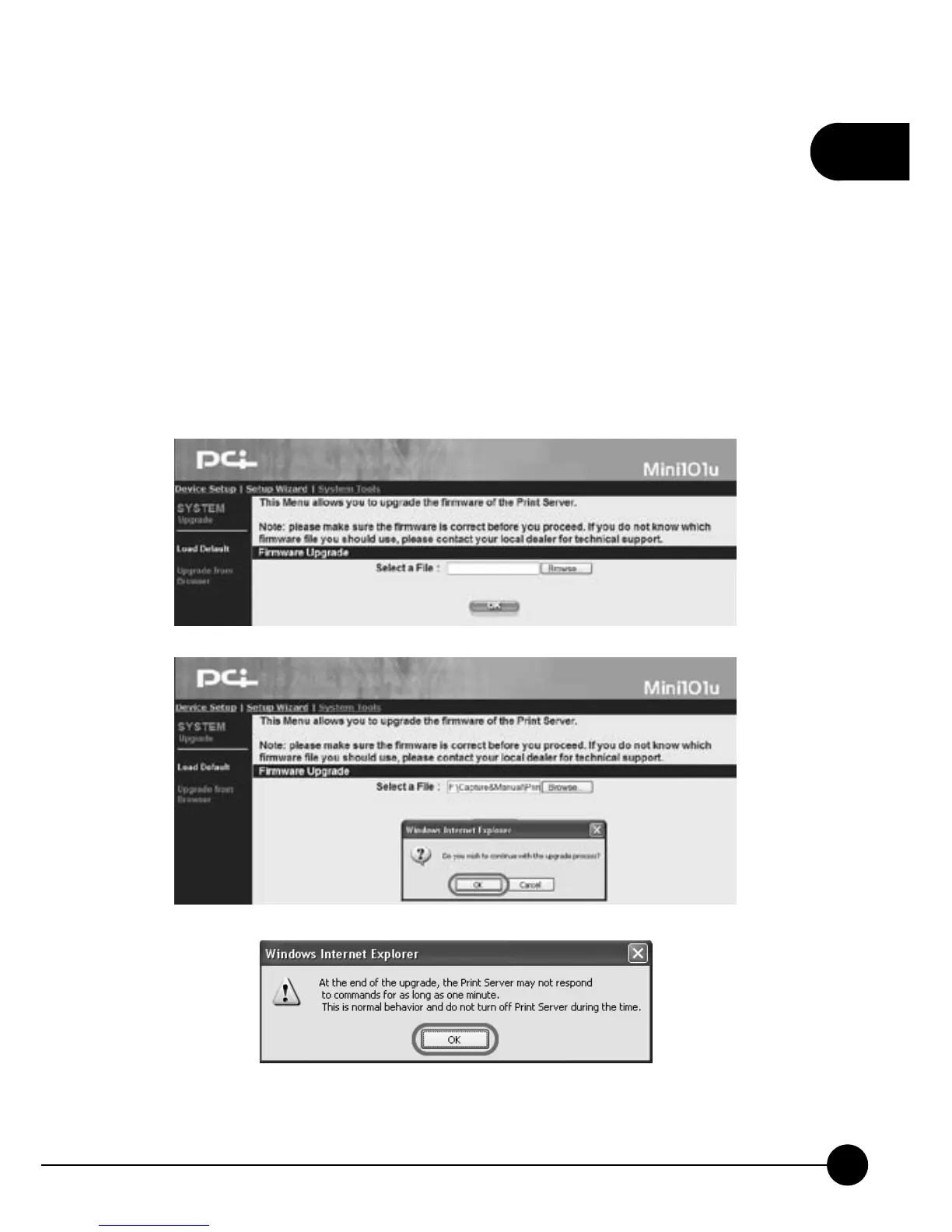
3.4.2. Upgrade from Browser
ClickņSystem ToolsƖUpgrade from BrowserŇon the web browser of
the print server's home page, and the following picture will show. If you
want to upgrade your print server, please download the correct firmware
file from our website to your computer: http://www.planex.net . Upgrade
the wrong firmware file will make Mini-101U cannot work, and this kind
of upgrade failure we will take it as operation error, thus we will charge
service fee when repairing.



 To Next Page