1.2.4. Uninstall
If you want to install any new versions of utilities or drivers, please
uninstall all the components of the current utilities and drivers. At first,
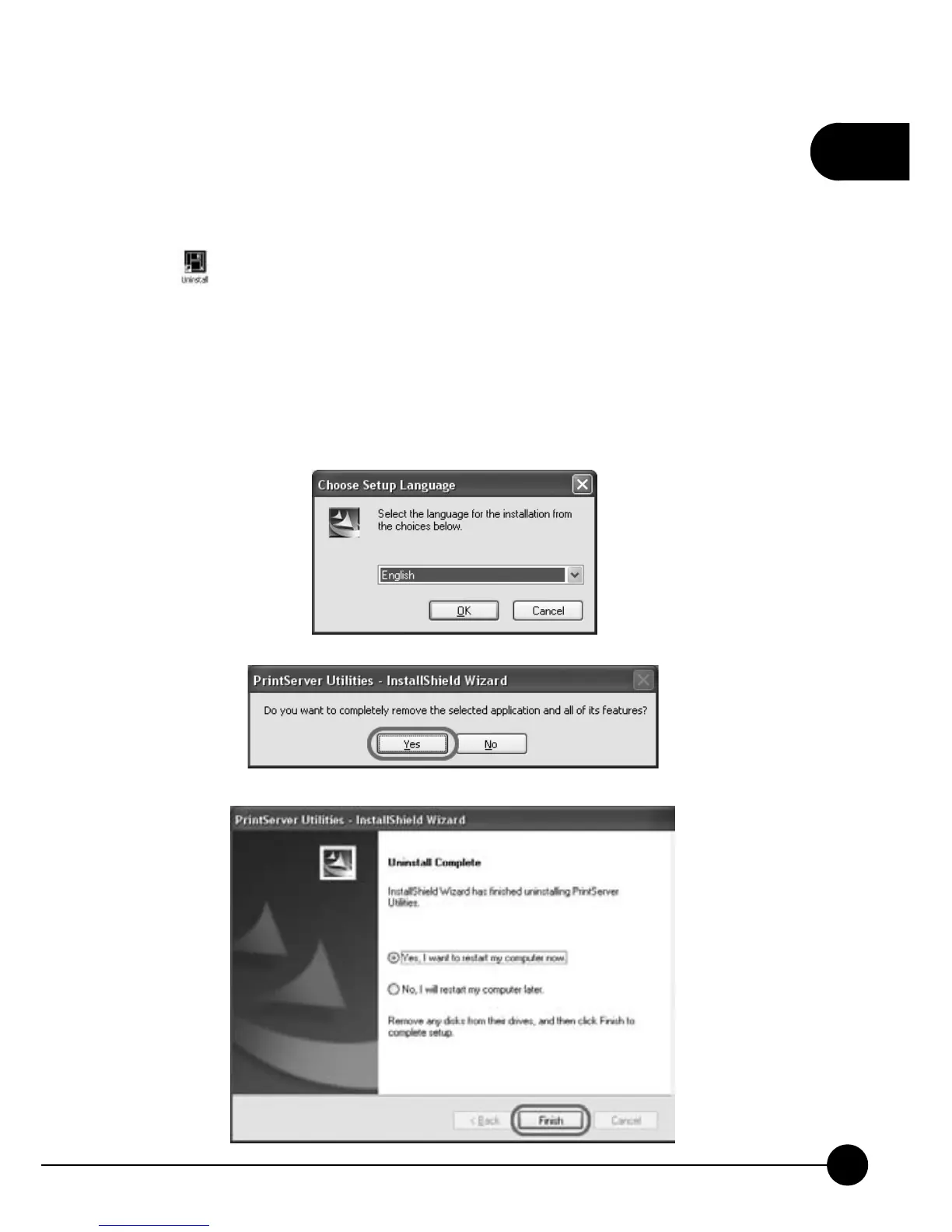
click
ņStartƖProgramsƖPrintServer UtilitiesŇand choose on
the list. After choosing the language you want to use, the InstallShield
Wizard will ask you if you really want to completely remove the selected
application and all of its components. ClickņYesŇand the wizard will
start to uninstall. After finishing uninstalling, it will show the following
page, and you may clickņFinishŇto exit the wizard.



 To Next Page