2
30
Mini-101U
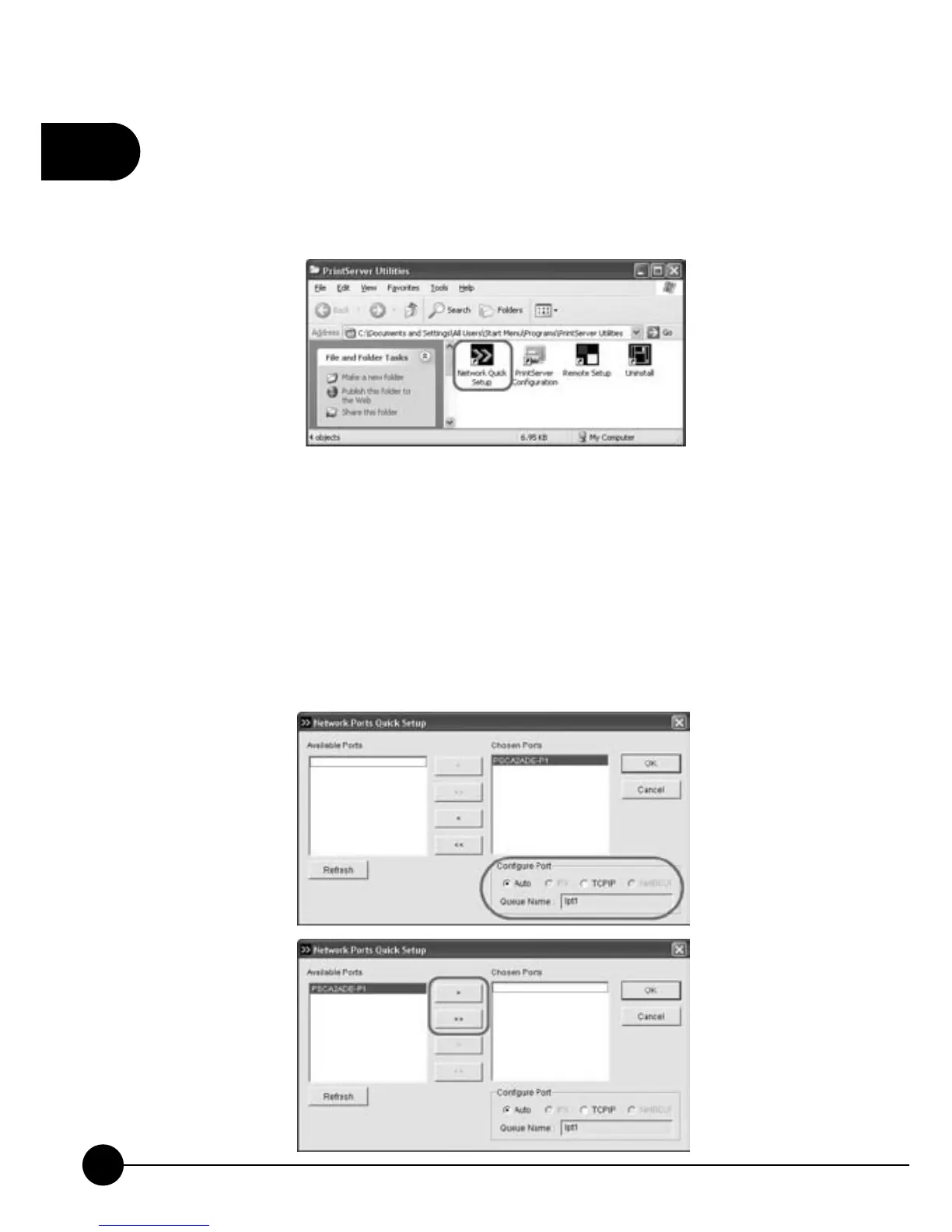
1.2.2. Network Ports Quick Setup
1.Click on theņNetwork Ports Quick SetupŇicon on the PrintSerer
Utilities list, and start to configure the print server port.
2.Right side of the window shows theņChosen PortsŇbox and the
print server port in use right now. Choose the port which you want to
configure and the lower columnņConfigure PortŇwill show you
several printing protocols, and you may configure it by just a click. If
you do not need to use the port temporarily, you can click the arrowhead
to the left, and make print server port to the left ņAvailable PortsŇbox.
Click right arrowhead can choose and configure the port again.



 To Next Page