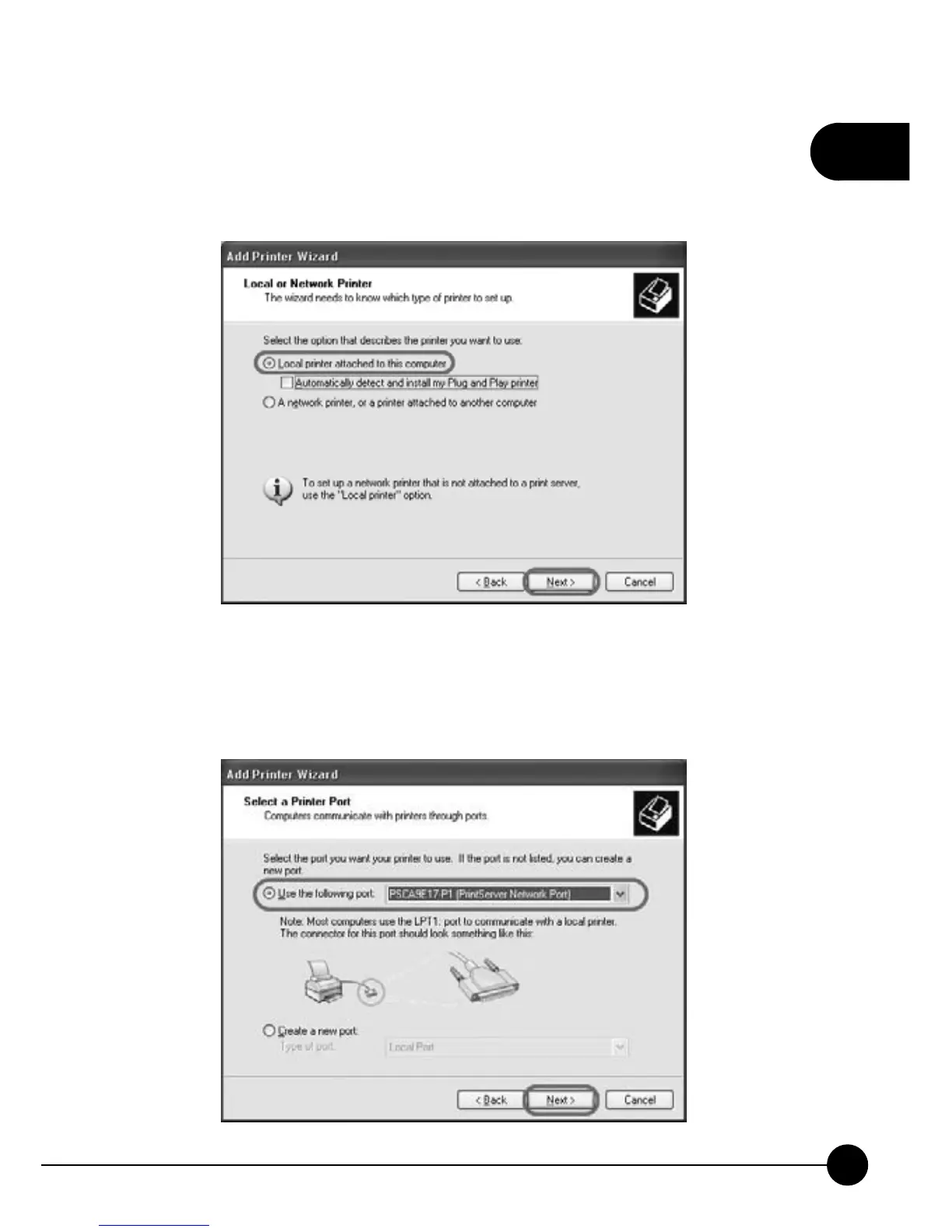
4.ChooseņLocal printer attached to this computerŇand cancel the
check in theņAutomatically detect and install my Plug and Play
printer.ŇClickņNextŇto continue adding a new printer.
5.Please chooseņUse the following port: PSxxxxxx-P1 (Print Server
Network Port)Ň(xxxxxx is the last 6 digit of your print server's MAC
ID). ClickņNextŇto go to the next step.



 To Next Page