3
82
Mini-101U
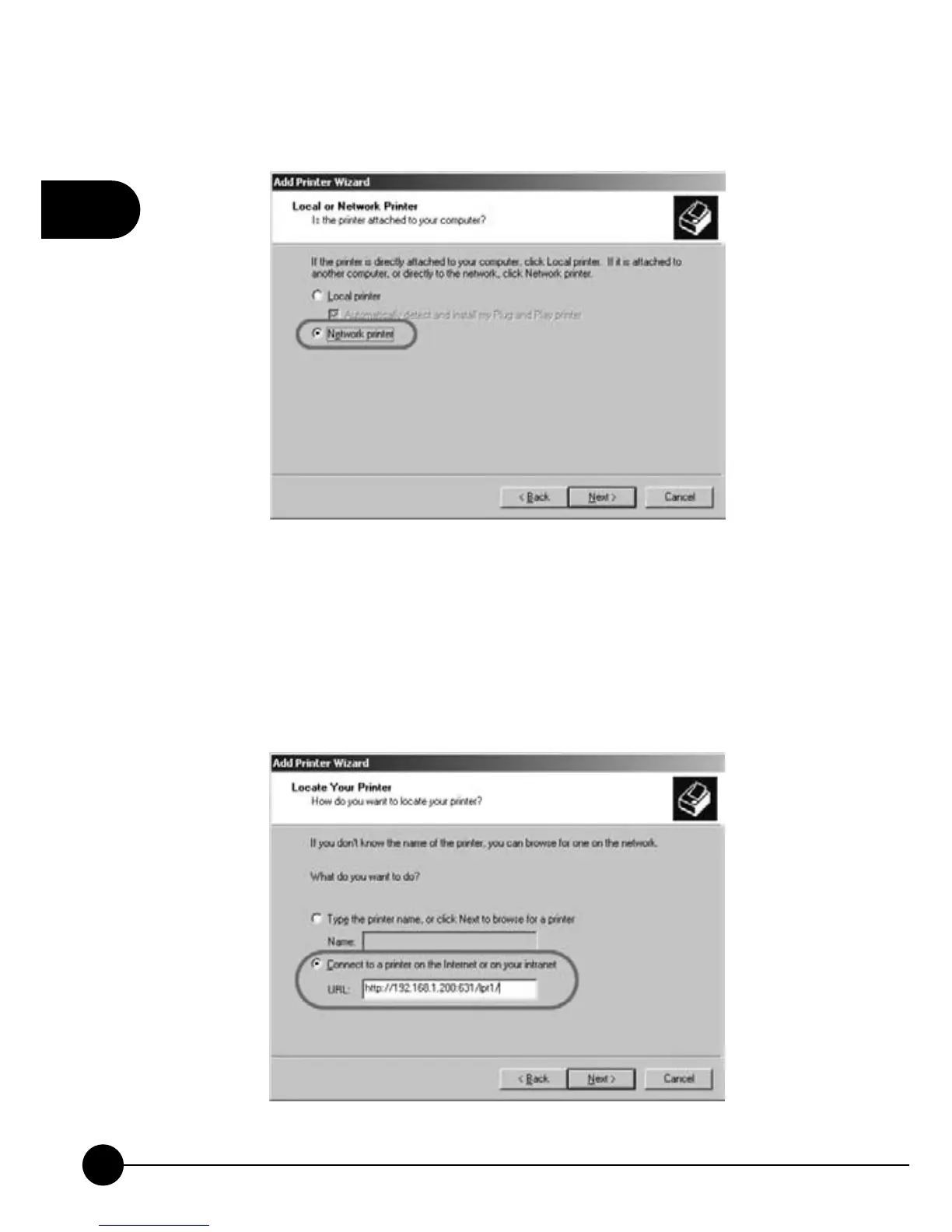
3.ChooseņNetwork PrinterŇand clickņNextŇto go on setting up.
4.ChooseņConnect to a printer on the Internet or on your intranetŇ
and enter the IP address and port number 631 of Mini-101U after a colon
in theņURLŇcolumn. After that, you have to put the appointed print
server name after the URL you just filled in. The default print server
name isņlpt1.ŇClickņNextŇto go to the next step.



 To Next Page