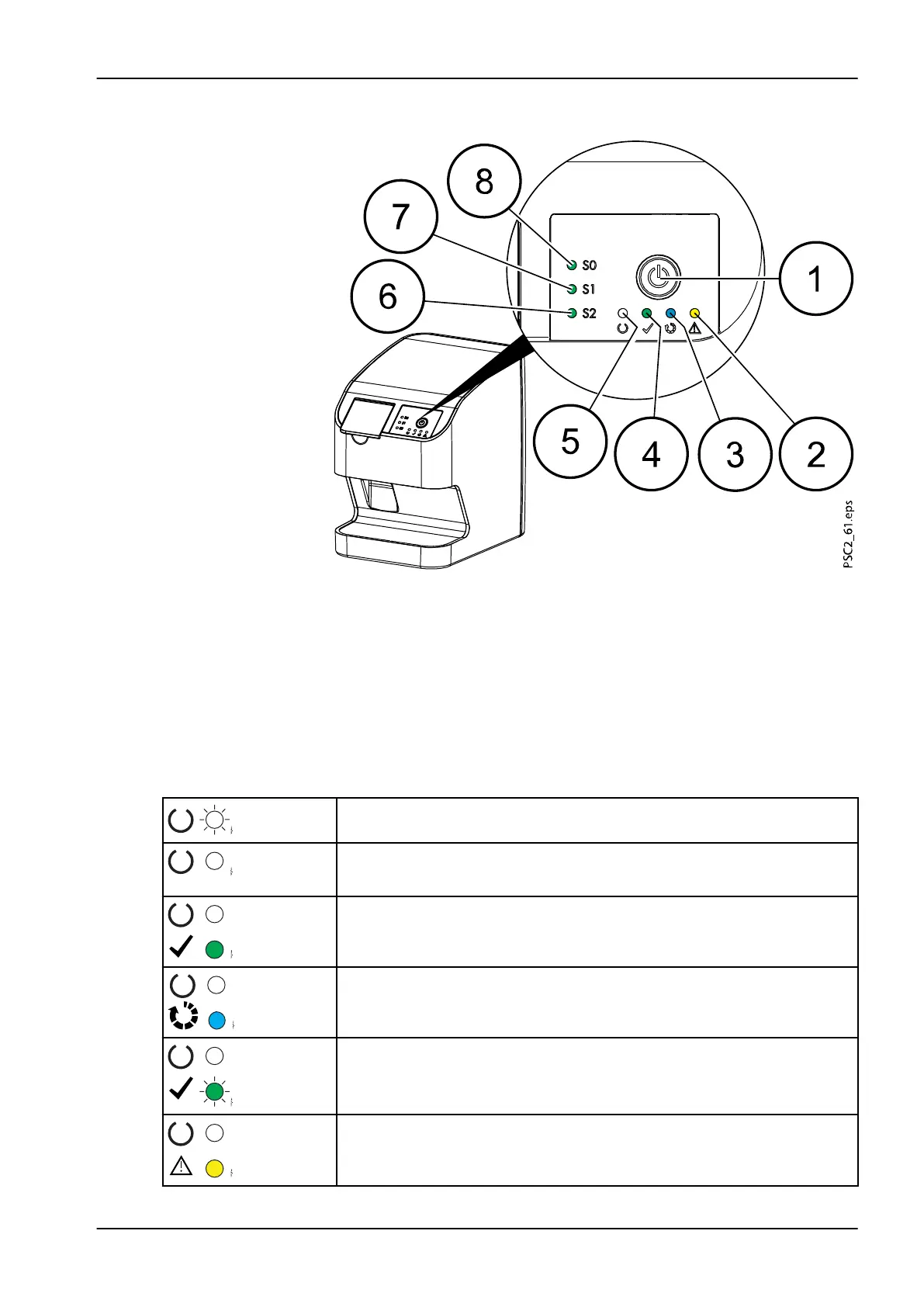
2.3.1.1 Operating elements
1 On / off switch
2 Error display yellow
3 Read display blue
4 Green status LED
5 Communication / standby display white
6 Display for cartridge S2
7 Display for cartridge S1
8 Display for cartridge S0
The status LEDs display the following status messages:
Device starts
Communication display
Standby
Ready to scan
Image plate currently being processed
Cartridge for image plate missing
Error
A message is displayed in the software
2 Product description
User's manual Planmeca ProScanner 2.0 17












 To Next Page