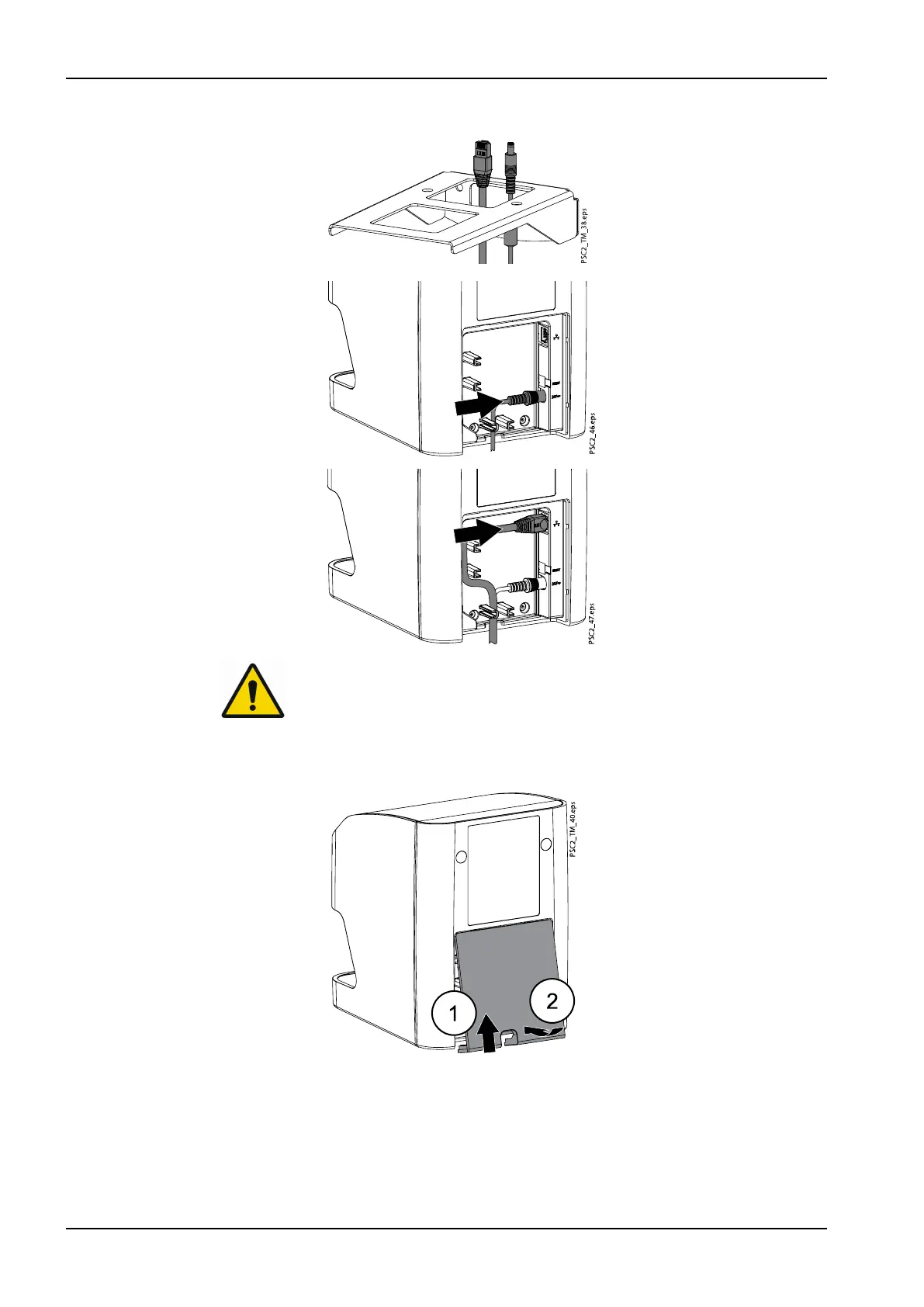
5. Lay the cables through the bracket and plug them into the unit.
6.
NOTE
When operating the device, the rear side cover must be mounted.
Mount cover by slotting the top edge into place (1), then closing the
cover (2) and securing with screws. Make sure the cables are correctly
fed through the bottom edge of the cover.
3 Assembly
24 Planmeca ProScanner 2.0 User's manual












 To Next Page