26
Using fully automatic wireless flash
shooting (Canon)
You can use one or more slave flashes in fully automatic wireless
flash shooting.
Using one slave flash
1 Attach the master flash to the camera.
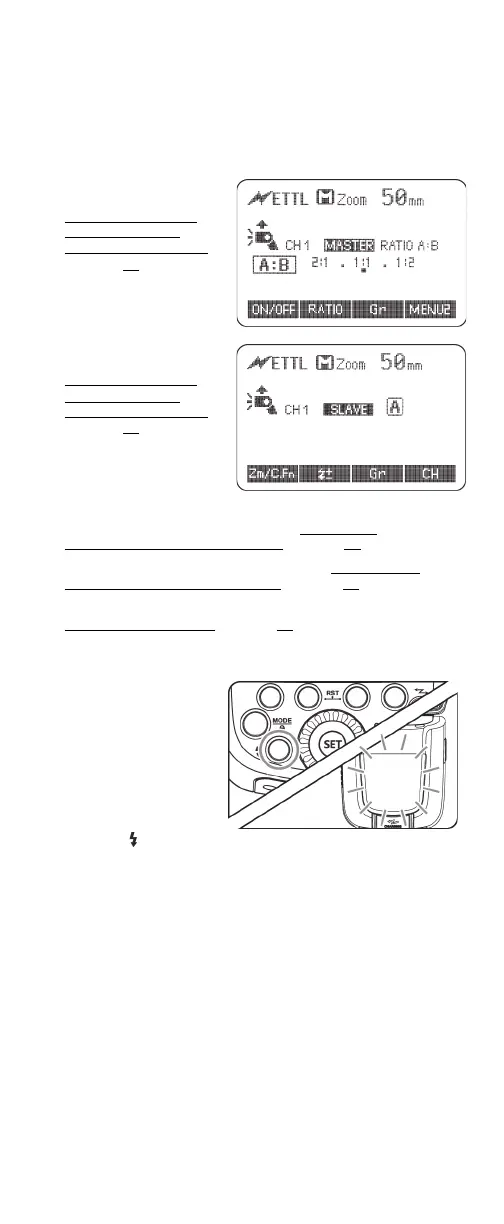
2 Set the master flash to
MASTER mode. See
Switching between
normal flash and
wireless flash (Canon)
on page 23
.
3 Set the other flash to
SLAVE mode. See
Switching between
normal flash and
wireless flash (Canon)
on page 23.
4 Make sure that the master flash and slave flash are set to the
same communication channel. See Setting the
communication channel (Canon) on page 25.
5 Position the camera and slave flash. See Slave/master
positioning and operating range on page 23.
6 Set the master flash to Auto-flash (E-TTL(Canon)) mode. See
Selecting a flash mode
on page 12.
The slave flash is automatically set to the same flash mode as
the master flash.
7 Make sure that both
flashes are ready. On
the master flash, the
ready indicator turns
on. On the slave flash,
the AF-assist area
blinks in one second
intervals.
8 Press the (test)
button. The slave flash should fire. If the slave flash does not
fire, you may need to adjust its angle toward the master flash
or shorten its distance from the master flash.


 To Next Page