3
Using wireless flash shooting in Manual mode (Canon). . . . . . . . . . . . . . . . . . . 30
Manually setting the slave flashes . . . . . . . . . . . . . . . . . . . . . . . . . . . . . . . . . . 31
Using wireless flash shooting in Manual flash mode (Nikon). . . . . . . . . . . . . . . 31
Using wireless flash shooting in Stroboscopic mode (Canon) . . . . . . . . . . . . . . 32
Using manual wireless flash shooting in Stroboscopic mode (Nikon). . . . . . . . 32
Using wireless flash shooting: radio (2.4G) transmission . . . . . . . . . . . . . . .33
Positioning and operating range using a single slave flash . . . . . . . . . . . . . . . . 33
Positioning and operating range using multiple slave flashes. . . . . . . . . . . . . . 34
Auto shooting with using different flash modes for each group (Canon only). 35
Shooting with a different flash mode for each group (Canon only) . . . . . . . . . 35
Using other applications. . . . . . . . . . . . . . . . . . . . . . . . . . . . . . . . . . . . . . . . . . .37
Using sync triggering. . . . . . . . . . . . . . . . . . . . . . . . . . . . . . . . . . . . . . . . . . . . . . . . 37
Using auto-focus assist beam. . . . . . . . . . . . . . . . . . . . . . . . . . . . . . . . . . . . . . . . . 37
Using bounce flash. . . . . . . . . . . . . . . . . . . . . . . . . . . . . . . . . . . . . . . . . . . . . . . . . . 37
Creating a catchlight . . . . . . . . . . . . . . . . . . . . . . . . . . . . . . . . . . . . . . . . . . . . . . . . 38
Setting the flash coverage in manual zoom mode . . . . . . . . . . . . . . . . . . . . . . . 38
Using the wide panel to extend the flash coverage. . . . . . . . . . . . . . . . . . . . . . . 39
Customizing function settings. . . . . . . . . . . . . . . . . . . . . . . . . . . . . . . . . . . . . .39
Canon functions . . . . . . . . . . . . . . . . . . . . . . . . . . . . . . . . . . . . . . . . . . . . . . . . . . . . 40
Nikon functions . . . . . . . . . . . . . . . . . . . . . . . . . . . . . . . . . . . . . . . . . . . . . . . . . . . . 40
Controlling your flash from the camera’s menus (Canon) . . . . . . . . . . . . . . .41
Flash function settings menu. . . . . . . . . . . . . . . . . . . . . . . . . . . . . . . . . . . . . . . . . 41
Flash C.Fn settings menu . . . . . . . . . . . . . . . . . . . . . . . . . . . . . . . . . . . . . . . . . . . . 41
Understanding protection functions . . . . . . . . . . . . . . . . . . . . . . . . . . . . . . . .42
Over-temperature protection. . . . . . . . . . . . . . . . . . . . . . . . . . . . . . . . . . . . . . . . . 42
Protection error messages . . . . . . . . . . . . . . . . . . . . . . . . . . . . . . . . . . . . . . . . . . . 43
Maintaining . . . . . . . . . . . . . . . . . . . . . . . . . . . . . . . . . . . . . . . . . . . . . . . . . . . . .43
Troubleshooting. . . . . . . . . . . . . . . . . . . . . . . . . . . . . . . . . . . . . . . . . . . . . . . . . .43
Upgrading firmware . . . . . . . . . . . . . . . . . . . . . . . . . . . . . . . . . . . . . . . . . . . . . . . . 44
Specifications . . . . . . . . . . . . . . . . . . . . . . . . . . . . . . . . . . . . . . . . . . . . . . . . . . . .45
Legal notices. . . . . . . . . . . . . . . . . . . . . . . . . . . . . . . . . . . . . . . . . . . . . . . . . . . . .46
ONE-YEAR LIMITED WARRANTY . . . . . . . . . . . . . . . . . . . . . . . . . . . . . . . . . . . . . .47
Introduction
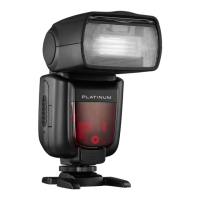
Congratulations on your purchase of a high-quality Platinum
product. Your PT-DPF500C for Canon cameras or PT-DPF500N for
Nikon cameras represents the state of the art in advanced
on-camera TTL flash technology and is manufactured for reliable
and trouble-free performance.
Important Safety Instructions
To prevent damage to your flash or injury to you or to others,
read the following safety precautions in their entirety before
using your flash.
1 Read and understand all instructions.
2 Keep these instructions.
3 Always keep your flash dry. Do not use in rain or in damp
conditions.
4 Do not leave or store your flash in places where the ambient
temperature is over 122°F (50°C), for example, in an
automobile. Otherwise the electronic parts may be
damaged.
5 Your flash contains high-voltage electronic parts. Touching
the high-voltage circuit inside it may result in electric shock.
Do not disassemble. Should repairs become necessary, your
flash must be sent to an authorized maintenance center.
6 Stop using your flash if it breaks open due to a drop or strong
impact. Otherwise, electric shock may occur if you touch the
electronic parts inside it.
7 Do not fire your flash directly into the eyes (especially those
of babies) within short distances. Otherwise, visual
impairment may occur. When taking pictures of babies, keep
your flash at least 3.3 feet (1 meter) away from them. Using
bounce flash to reduce light intensity is also recommended.


 To Next Page