32
Using wireless flash shooting in
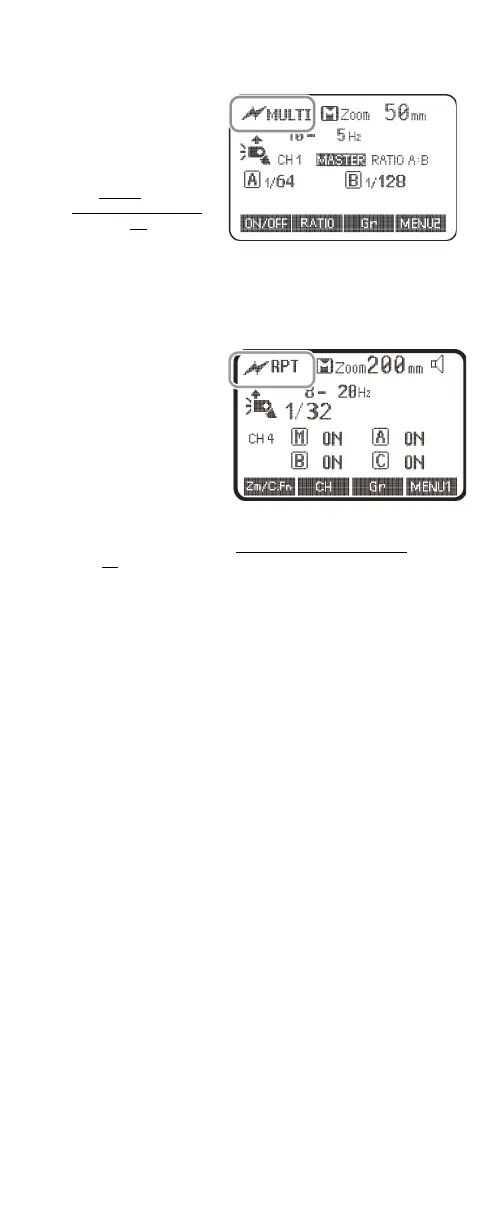
Stroboscopic mode (Canon)
• Set the master flash
to Stroboscopic
(MULTI) mode
(Canon), then adjust
the settings on the
flashes as needed.
See Using
Stroboscopic mode
on page 19.
Using manual wireless flash shooting in
Stroboscopic mode (Nikon)
1 Press the MODE
button one or more
times to select RPT
(Nikon).
2 Follow the instructions in Using Stroboscopic mode
on
page 19.
Note: You can set the firing frequency of Stroboscopic flash in
optic transmission wireless shooting between 1 Hz to 100 Hz.
You cannot use the setting between 250 Hz to 500 Hz.


 To Next Page