37
6 On the master flash, if you are using M mode, set the flash
output.
OR
If you are using ETTL mode, set the flash exposure
compensation amount as needed.
Repeat this step for each group.
7 On the master flash, press the FN 4 ( ) button to return to
shooting-ready mode.
Using other applications
Using sync triggering
Your flash has a 3.5mm sync cord jack. By inserting a trigger plug
into the jack, your flash fires synchronously with the camera
shutter. For the location of the jack, see Flash body
on page 4.
Using auto-focus assist beam
In poorly-lit or low-contrast shooting environments, the built-in
auto-focus assist beam automatically lights to make
auto-focusing easier. The beam lights only when auto-focusing is
difficult and turns off as soon as auto-focusing becomes correct.
If you want to turn off the auto-focus assist beam, set the AF
function to OFF on the C.Fn menu. For more information, see
Customizing function settings
on page 39.
Note: If the auto-focus assist beam does not light, the camera
has a correct auto-focus.
The effective range of the auto-focus assist beam is:
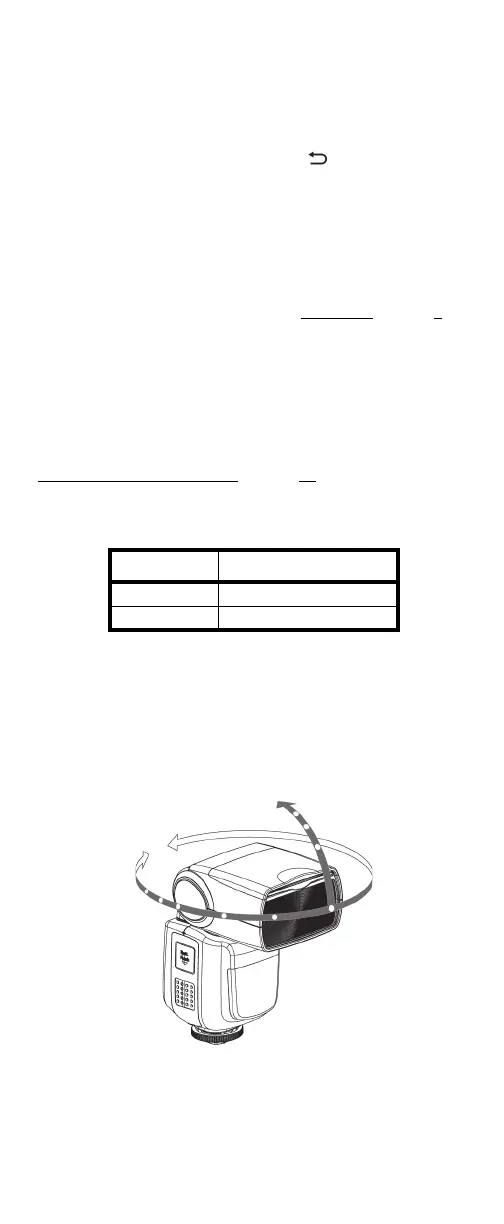
Using bounce flash
By pointing the flash head toward a wall or ceiling, your flash
bounces off the surface before illuminating the subject. Bounce
flash can soften shadows behind the subject for a more
natural-looking shot.
To set the bounce direction, hold the flash head and turn it
toward the surface you want to use to bounce the flash.
Notes:
• If the wall or ceiling is too far away, the bounced flash might
be too weak and result in underexposure.
• The wall or ceiling should be a plain, white color for high
reflectance. If the bounce surface is not white, a color cast
may appear in the picture.
Position Effective Range
Center 2.0 ~ 32.8 ft./ 0.6 ~10 m
Periphery 2.0 ~ 16.4 ft./ 0.6 ~ 5 m


 To Next Page