Getting Started
9P/N 2018 - 10 B Rev A 6 – Release
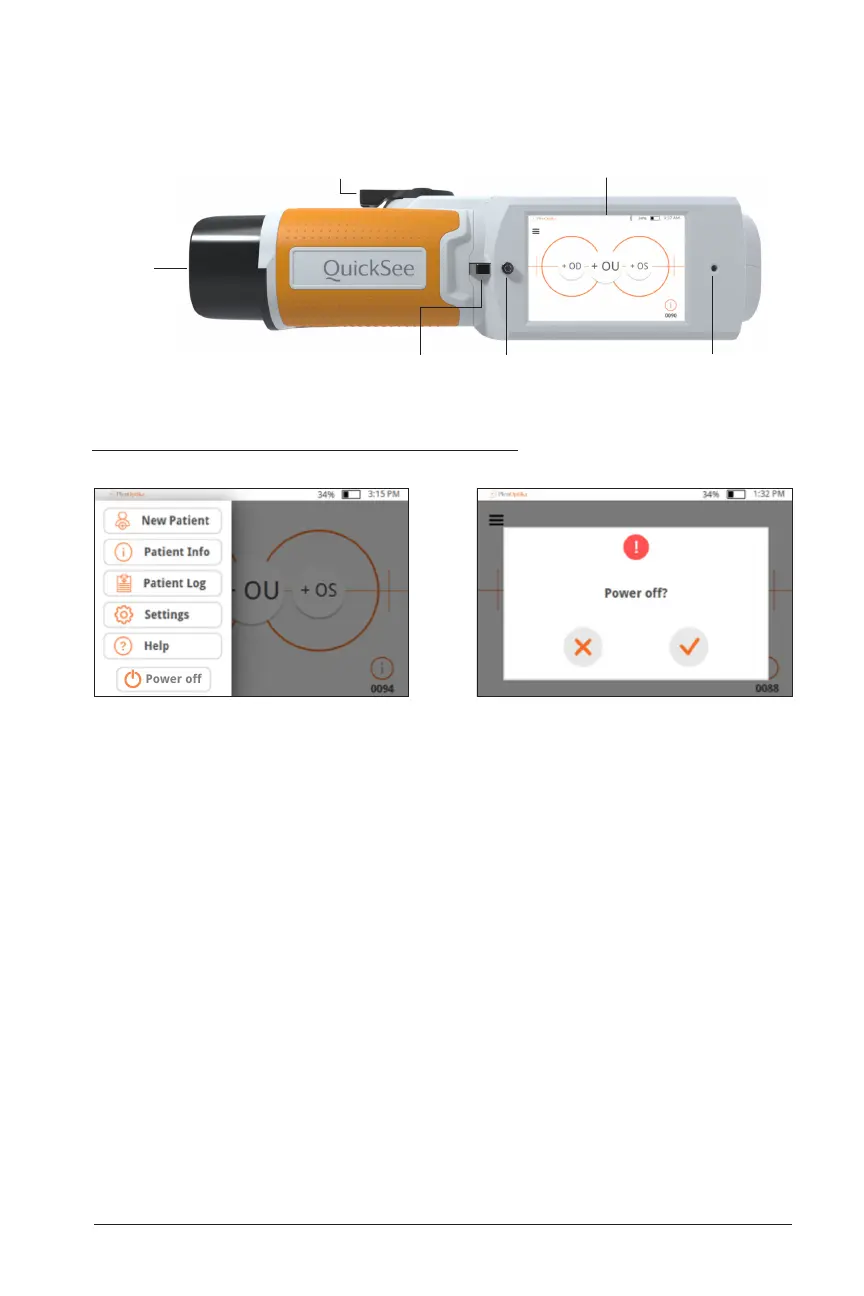
Powering the QuickSee On and Off
1. To turn the QuickSee on, press the power button for a half second and release
(start-up process takes approximately 30 seconds). Once powered on you will
see the Main Menu (“Home Screen”).
2. To turn the device off, go to the top right drop down menu, select “Power off” and
confirm by pressing the check mark.
• Avoid Powering Off via the power button when handling device– be mindful to
not press into the power button continuously for 7 seconds, as this force shuts
down the device. Force shut down may lead to data loss or corruption and should
only be used if the device freezes and shut down via the drop down menu is not
possible.
• Battery lasts for up to 8 hours of continuous use when fully charged.
Interpupillary
adjustment
Touchscreen display
Power buttonLanyard mount
Eyepiece
Charging LED


 To Next Page