24 P/N 2018 - 10 B Rev A 6 – Release
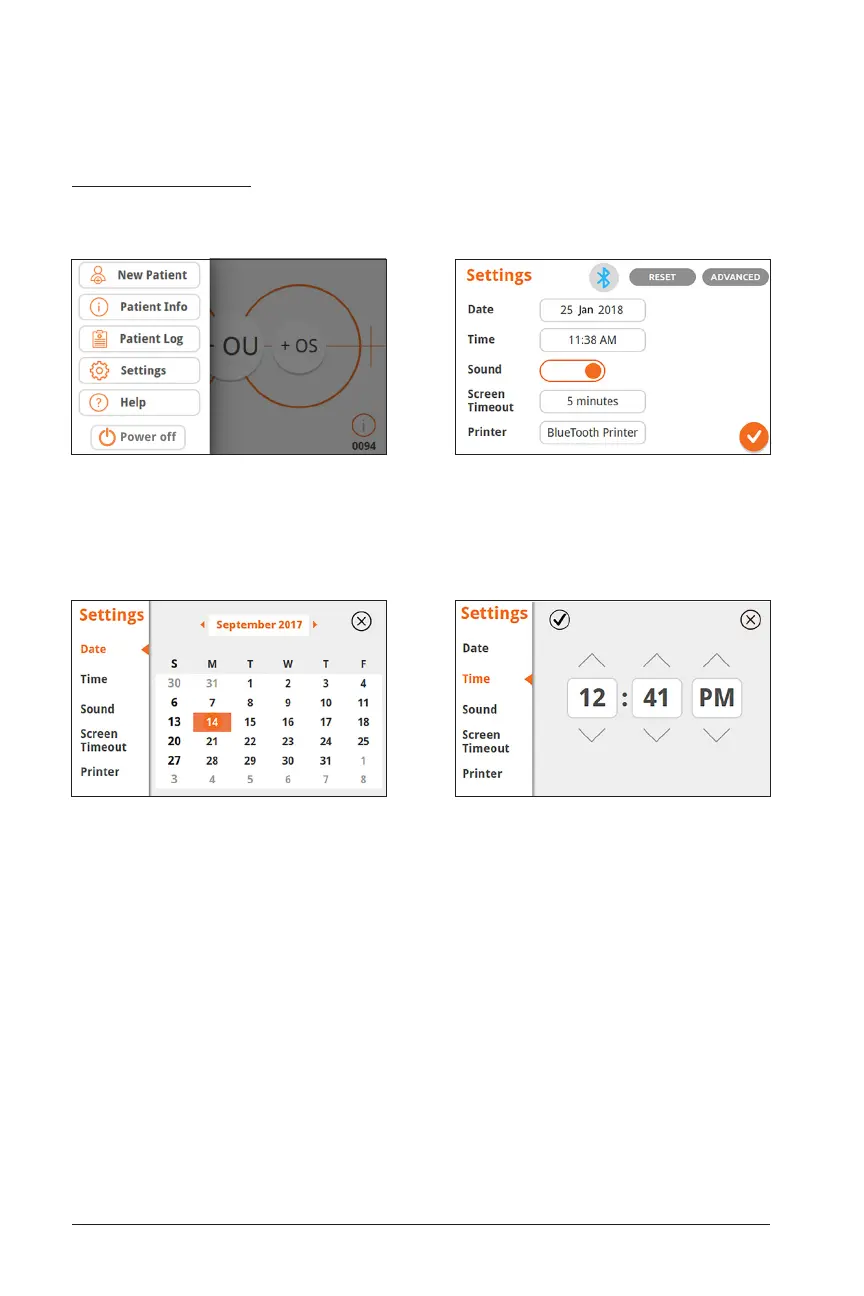
Change Date
Date is stored along with every measurement
Set Time
Time is shown in top right corner of screen
Basic Settings
Selecting “Settings” in the Drop Down will take you to screens to alter the Basic
Settings menu:
Settings which can be changed include date, time, sound on/off, Bluetooth on/off,
screen timeout, and language. Basic Settings can be reset from this screen, and you
can access the Advanced Settings also.
Drop Down Menu Basic Settings Menu


 To Next Page