13P/N 2018 - 10 B Rev A 6 – Release
User Operation
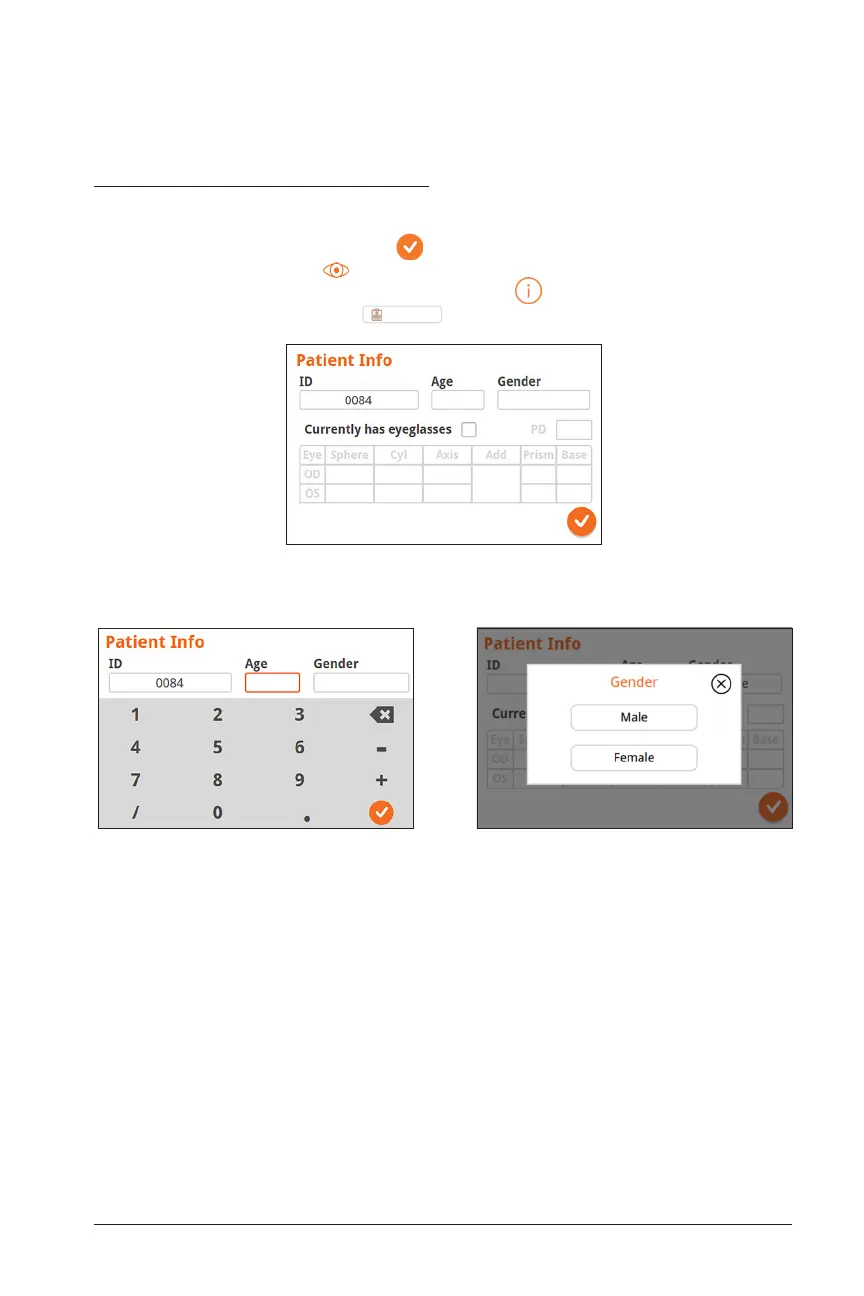
Enter Age Enter Gender
Patient Information Screen
On the Patient Information Screen, confirm that all entered data match the patient
being assessed. You can modify information by touching the field you wish to change.
After the change is completed select to save information and return to the Home
Screen. Alternatively, select to return to the Home Screen. There are two ways to
access the Patient Information Screen: through the icon on the bottom right of
the Home Screen or through the
Patient Log
button in the drop down menu.
Patient Information Screen - Partially filled


 To Next Page