14 P/N 2018 - 10 B Rev A 6 – Release
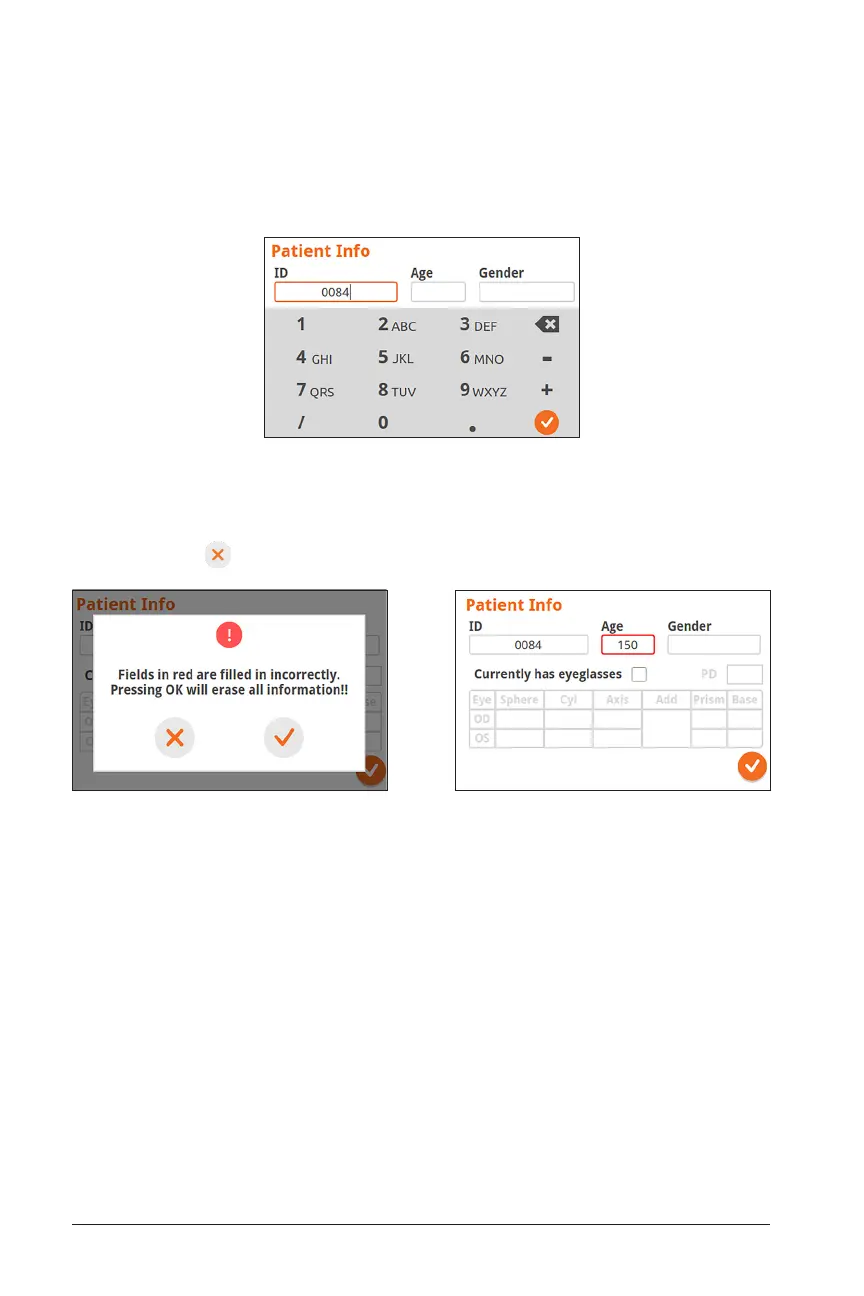
Incorrect Information Detected Incorrect Information (Age) Highlighted in Red
Once Patient Information is entered, any incorrect entries will be highlighted. If this
happens, select and edit the highlighted field:
When editing the Patient ID Number, text can also be entered with the alpha-numeric
keypad. For example, the letter “A” can be entered by hitting “2” 2 times in quick suc-
cession and the letter ”B” can be entered by hitting “2” 3 times in quick succession.
Change Patient ID Number


 To Next Page