26 P/N 2018 - 10 B Rev A 6 – Release
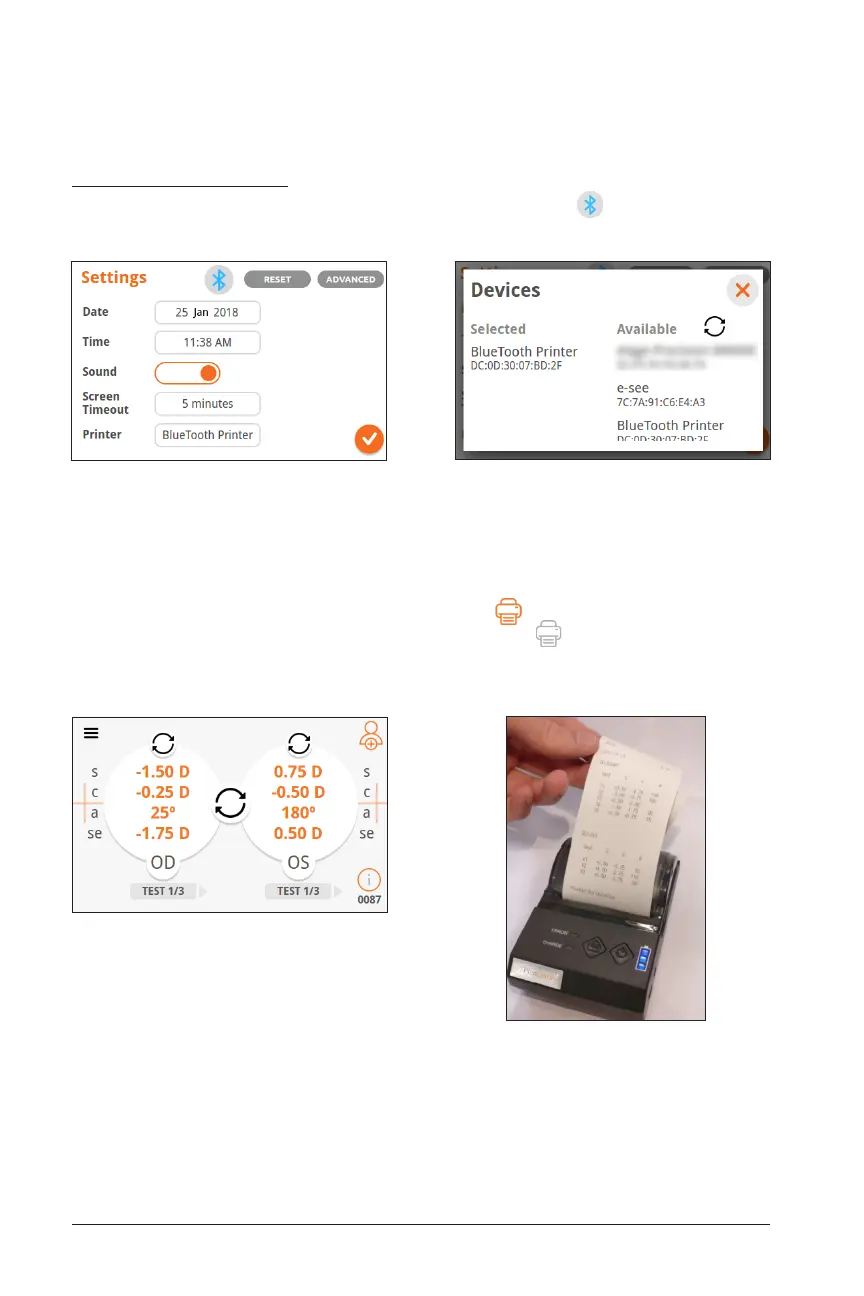
Results Screen Printer Paired
Press the orange printer button to print. Printer will
output each test result of each eye measured for
the current patient.
Bluetooth Printer
To pair the QuickSee to a Bluetooth Printer, turn on Bluetooth and press the box
next to “Printer” on Basic Settings. The device will then search for Bluetooth devices.
Once successfully paired, the orange printer button will appear on the bottom left
corner of the Results Screen. If the printer button is grey , repeat the above steps
to re-pair the printer.
Bluetooth On and Printer Selected
If printer is already paired, name will already
appear in the printer box.
Select Printer
Device will scan and show available Bluetooth
devices. Select your printer.


 To Next Page