34 P/N 2018 - 10 B Rev A 6 – Release
Download Patient Data
After pairing is successful, the QuickSee Companion Main Screen will appear. From
this screen you can download patient data or update firmware of the QuickSee.
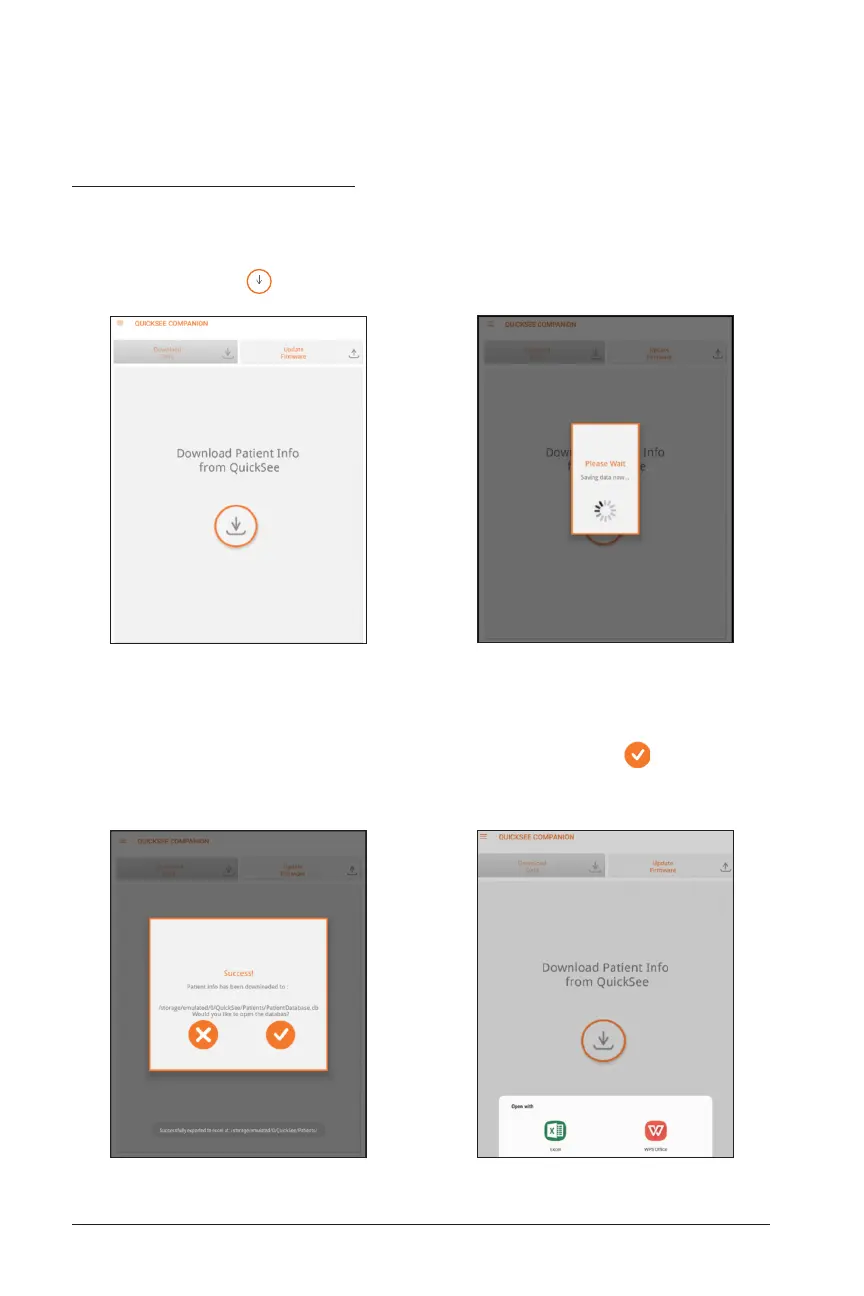
To download patient data, click the Download Data tab on the Main Screen and click
the download button
(
.
Download Data Screen Download in Progress
Once the data is downloaded as a .csv file, the Download Success screen will appear,
showing you the file path. If you choose to open the file by pressing , you can
view the downloaded data using any suitable spreadsheet program installed on your
device.
Download Success Screen Select Spreadsheet Viewer


 To Next Page