33P/N 2018 - 10 B Rev A 6 – Release
QuickSee Companion App
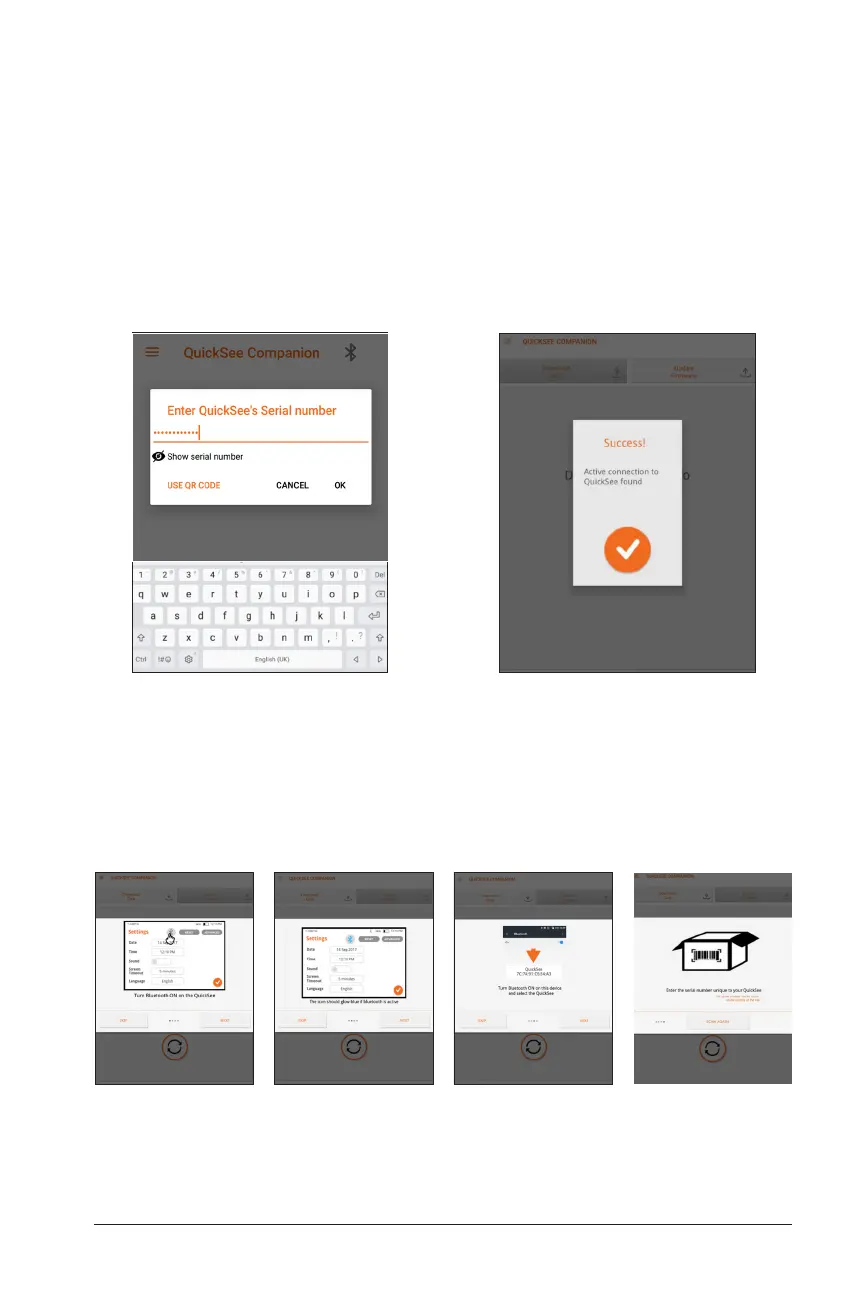
Enter QuickSee Serial Number Pairing Success Screen
3. If the QuickSee’s Bluetooth is not turned on, or the Bluetooth device cannot find
an available QuickSee, the Companion App will walk you through how to turn on
the Bluetooth settings on your QuickSee.
On-Screen Pairing Troubleshooting Guide


 To Next Page