17P/N 2018 - 10 B Rev A 6 – Release
User Operation
Level the QuickSee Level the QuickSee
Screening a Patient (Binocular Mode)
1. On home screen, select
+ OU
icon to start screening both eyes simultaneously
(binocular mode).
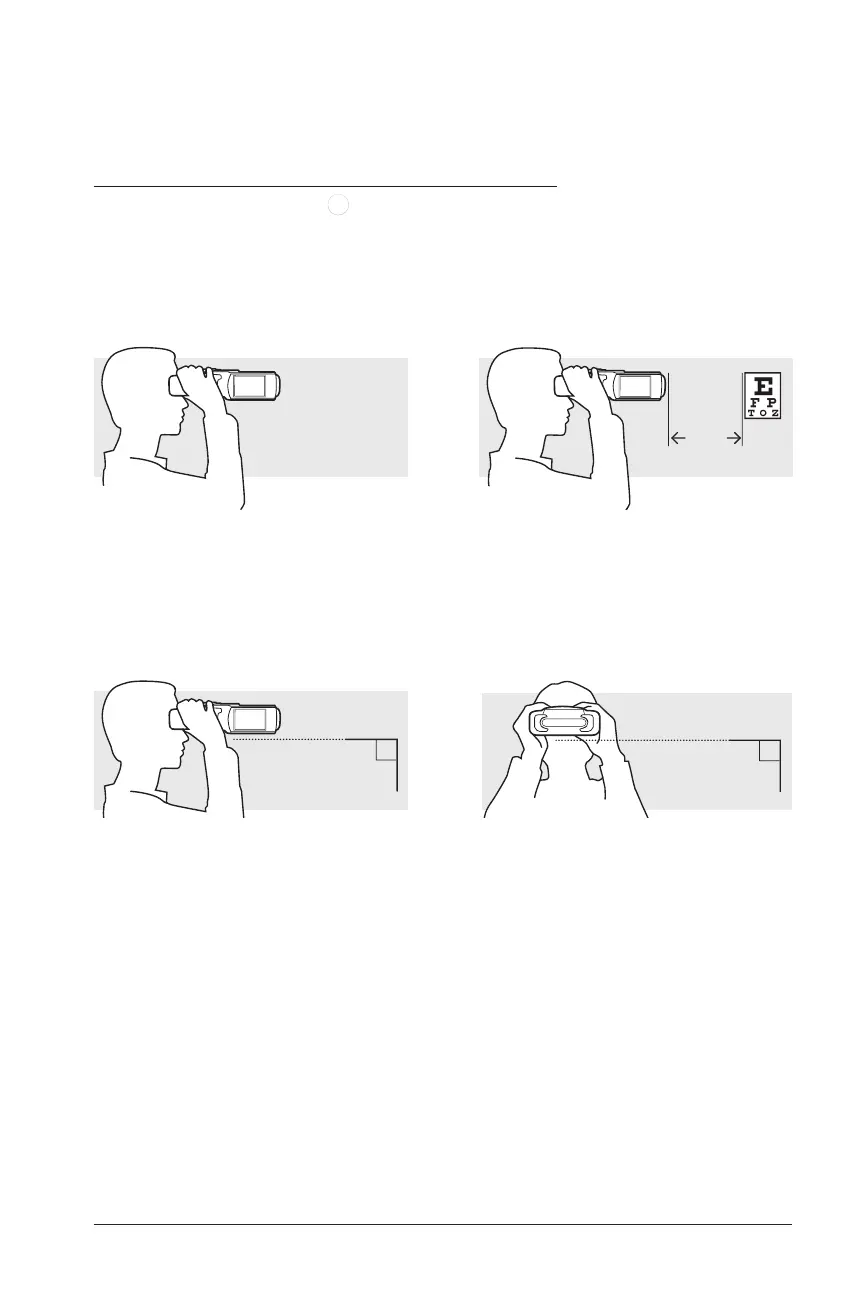
2. Have patient hold device to face with both hands and look through the device at a
distant object, ideally at least 6 meters (20 feet) away. Over 3 meters (9 feet) is
acceptable.
3. Make sure there is no space between the QuickSee and the patient’s face. Then,
level the QuickSee, ensuring that there is no tilt in relation to the patient’s face:
≥ 6m
Seat QuickSee Comfortably on Patient Select an Object to Focus On
90º
90º


 To Next Page