18 P/N 2018 - 10 B Rev A 6 – Release
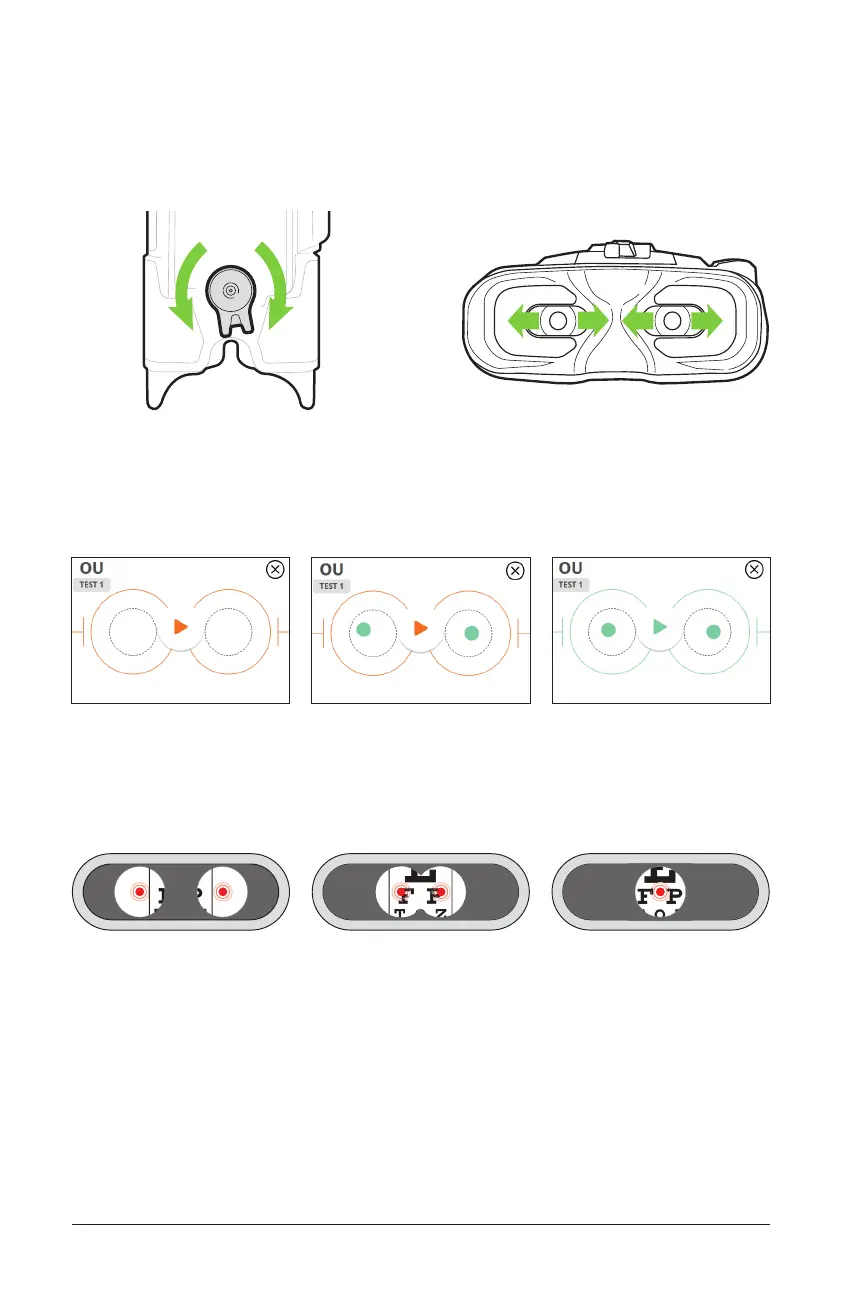
5. When the viewports are properly aligned with the patient’s eyes, the circles on
the acquisition screen will turn from orange to green. Repeat step 4 until the eyes
(represented by two dots) and the outer circles become centered and green.
6. When properly aligned, the patient will often see two images and red dots con-
verge to one (though it is also possible that the patient sees two separate red
dots, which is also correct).
4. Adjust inter-pupillary distance (IPD) of the viewports if needed with the IPD ad-
justment on top of device.


 To Next Page