! Plexxi Switch 3eq Installation Guide (Switch-Control 3.0.0-3.2.x)! 37!
10 Customer!Replaceable!Units!
The switch power supplies and fan modules are customer-replaceable in the event of a failure and can be
replaced as described in this section.
Replacing!a!Power!Supply!Module!
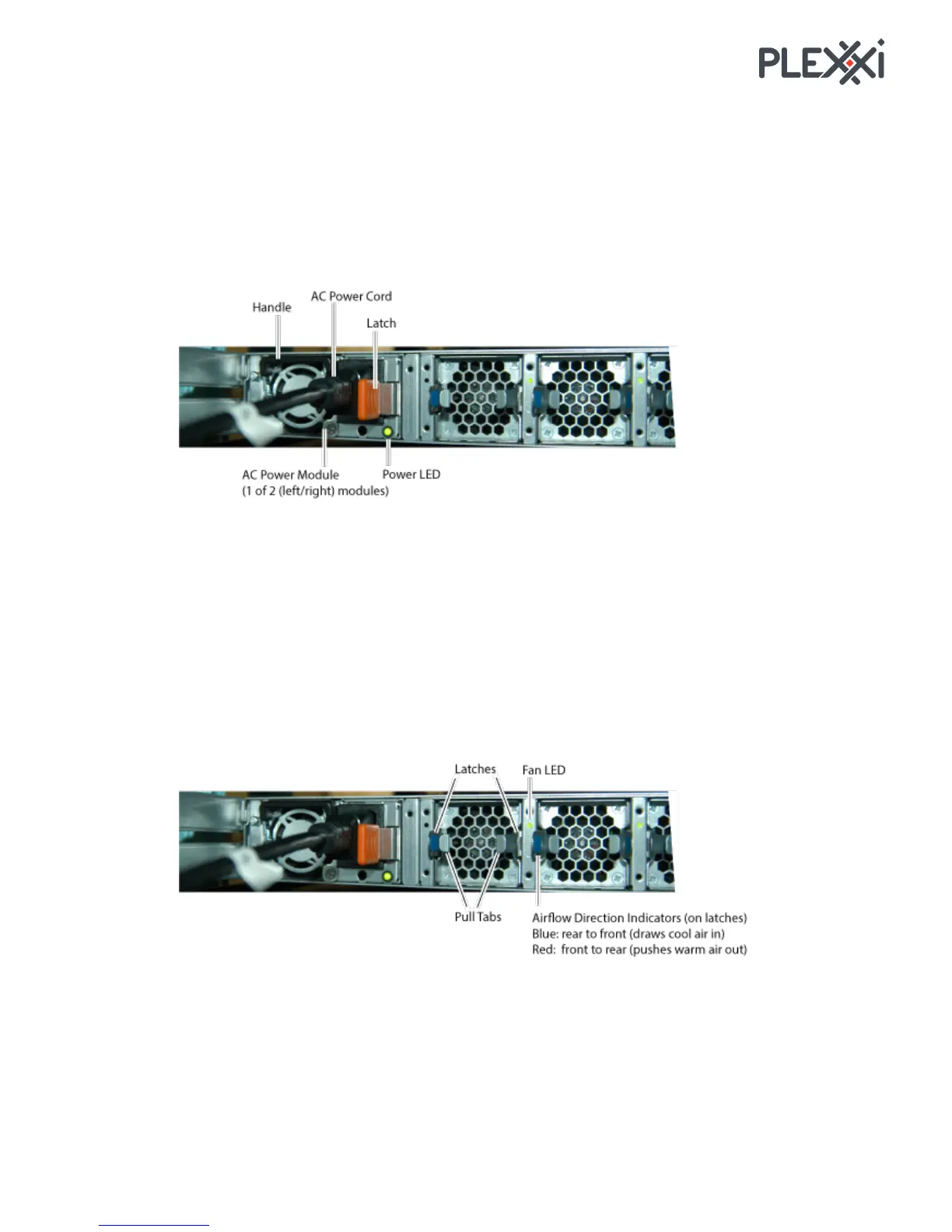
The power supplies are hot swappable. To hot swap a power supply module:
1. Unplug the power cord from the power supply module.
2. Press the latch to the
left and pull the handle.
3. Insert the replacement power supply module into the chassis slot until fully seated and the latch
snaps into place.
NOTE: Each power supply module is keyed to insure correct orientation.
4. Connect the power cord.
5. Verify that the Power LED lights solid green.
Replacing!a!Fan!Module!
The fans are hot swappable. To hot swap a fan module:
1. Press the latches inward against the pull tabs and pull the fan module out of the switch chassis.
2. Insert the replacement fan module into the chassis slot until fully seated and the latches snap into
place.
NOTE: Each fan module is keyed to insure correct orientation.
3. Verify that the Fan LED lights solid green.



 To Next Page