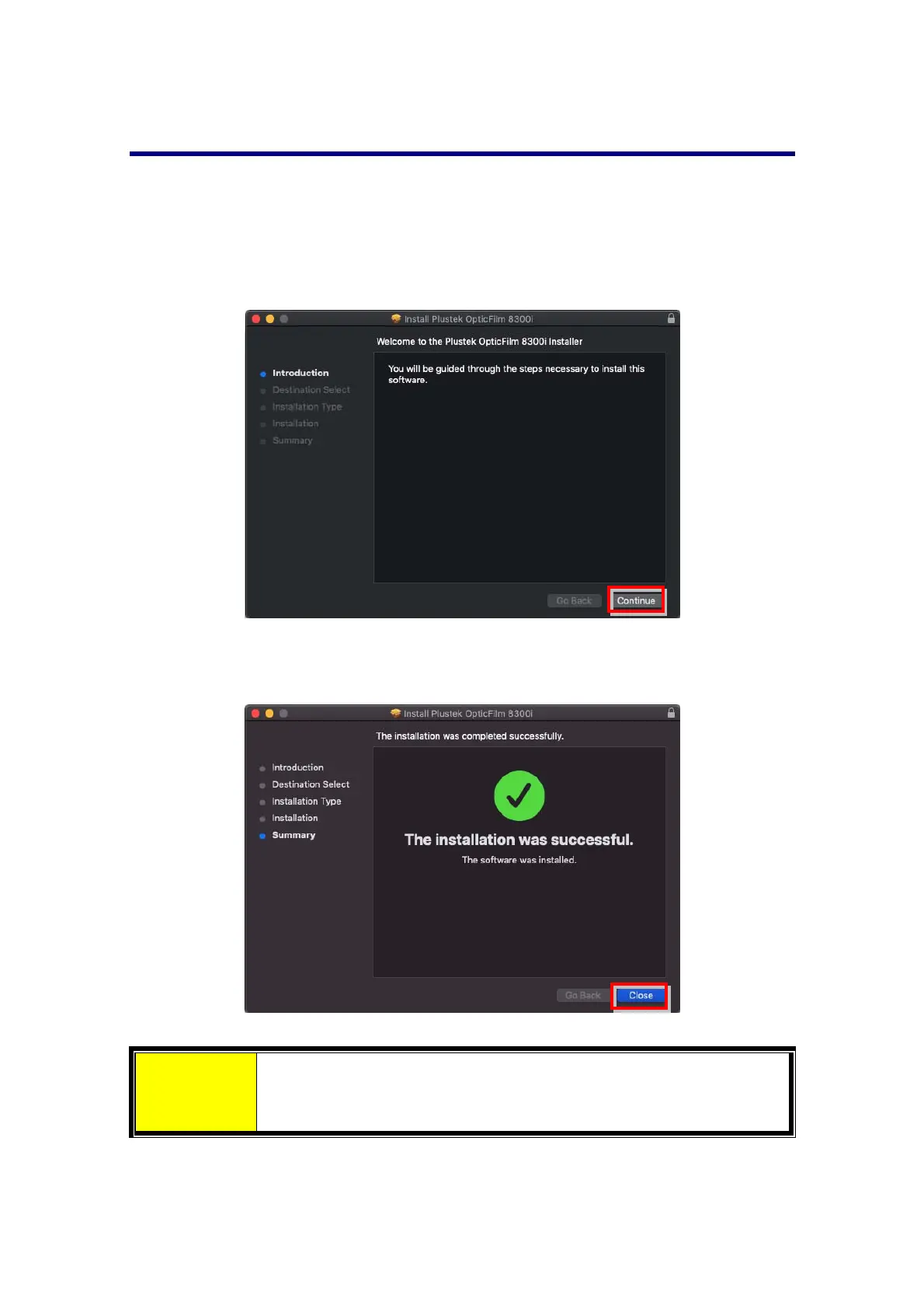
InstallingScannerDriver
1. InserttheSetup/ApplicationUSBstickintoyourcomputer.
2. Installthescannerdriverbythefollowingpath:
MacOSX:OPTICFILM>Mac>PlustekOpticFilm8300i>Setup.dmg
WindowsOS:OPTICFILM>Windows>PlustekOpticFilm8300i>Setup.exe
3. Followtheon‐screeninstructionstocompletetheinstallation.
Attention
You may download the latest version driver from our official
websiteplustek.com/of8300i.
8














 To Next Page