Using[QuickScan]Button
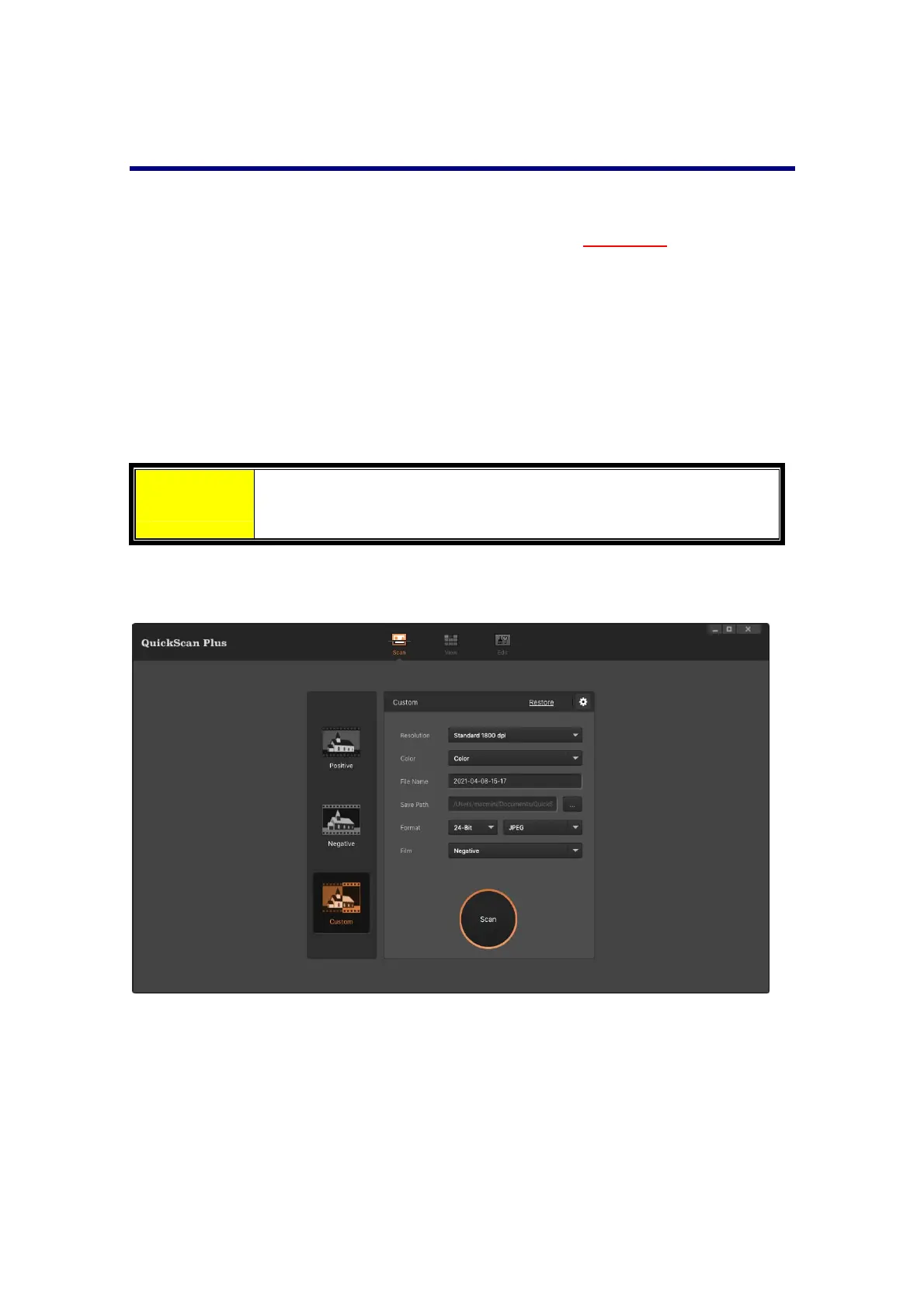
The [QuickScan] button enables you to launch QuickScan Plus software. If the [Save
imagefilesafterhardwarescan]optionischeckedinthe[
Preference]settingsdialog,
this[QuickScan]buttoncanconvenientlyscanimagesandsavethemautomaticallyto
thealbum. Simplypressthe [QuickScan]buttonon the front of your scanner and the
scannerwillstartscanningyourtransparenciesornegativeswith[Custom]scanmode.
Beforeperformingyourfirstscan
viathe[QuickScan]button,youarerecommendedto
configuretheQuickScanPlussettingstoyourneedsandpreferencesfirst.
Attention
Please refer to the QuickScan Plus on‐line help for more
informationaboutavailablescansettings.
34














 To Next Page