InserttheFilmHolder
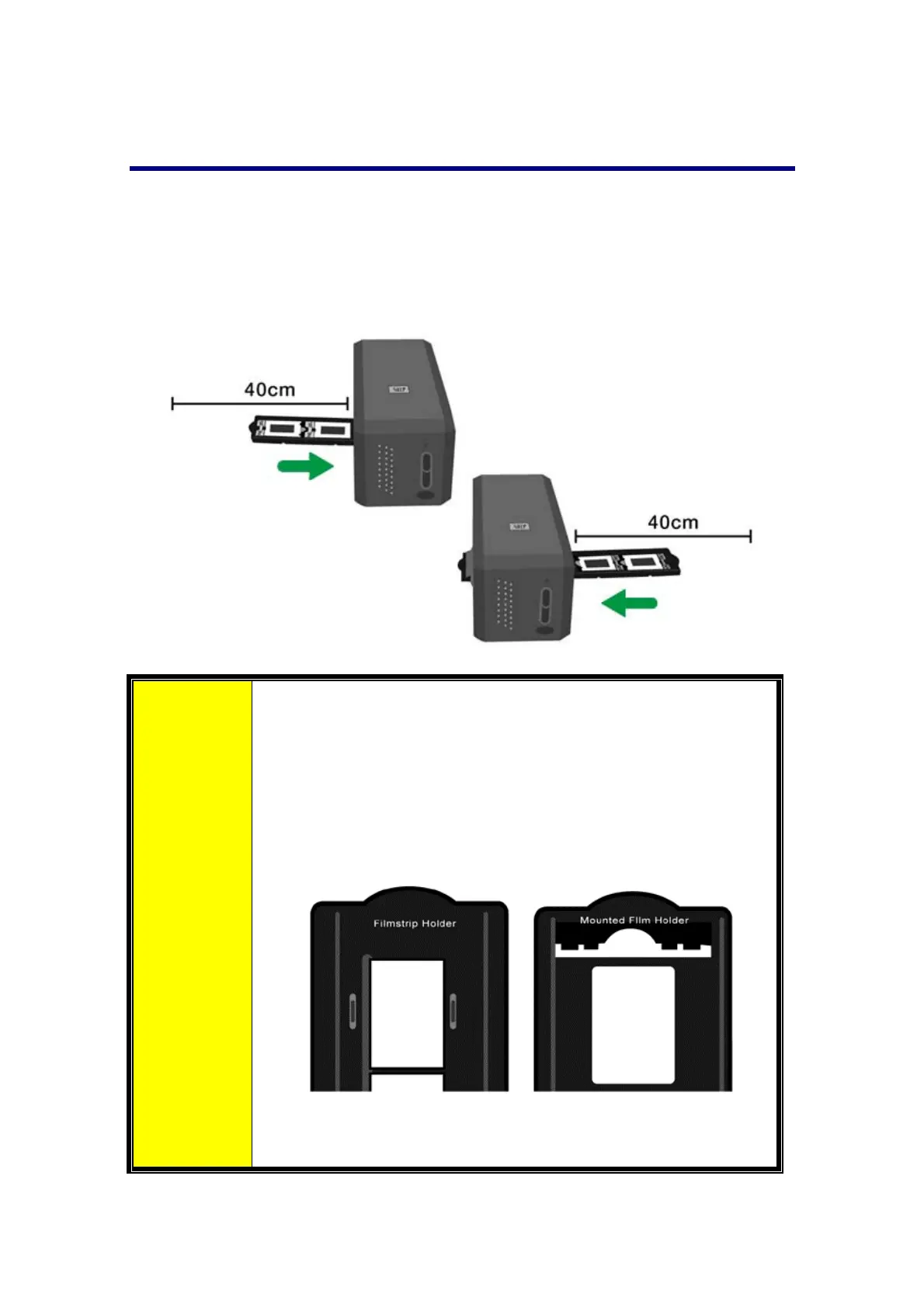
Insert the film holder into the scanner through dust cover. The film holder can be
insertedfromeitherside.Thefilmholderwillindexateachframeusingthenotcheson
itssiderails.
Pleaseallowabout40cmofspaceonbothsidesofthescannertoinsertandremove
thefilmholder.
Attention
You can feel the film holder stop in its index position.
However,beforeperformingscan,pleasegentlypushandpull
the film holder to make sure the film holder is in correct
position.
On up side of the film holder you can see ‘Mounted Slide
Holder’ or ‘Filmstrip Holder’. Always
keep this side up for
correctscanresults.
The film holder should be able to be inserted in to the
scannersmoothly.Donotpushthefilmholderhard.
13














 To Next Page