BeforeInstallingtheScanner
ConnectingtheScannertoYourComputer
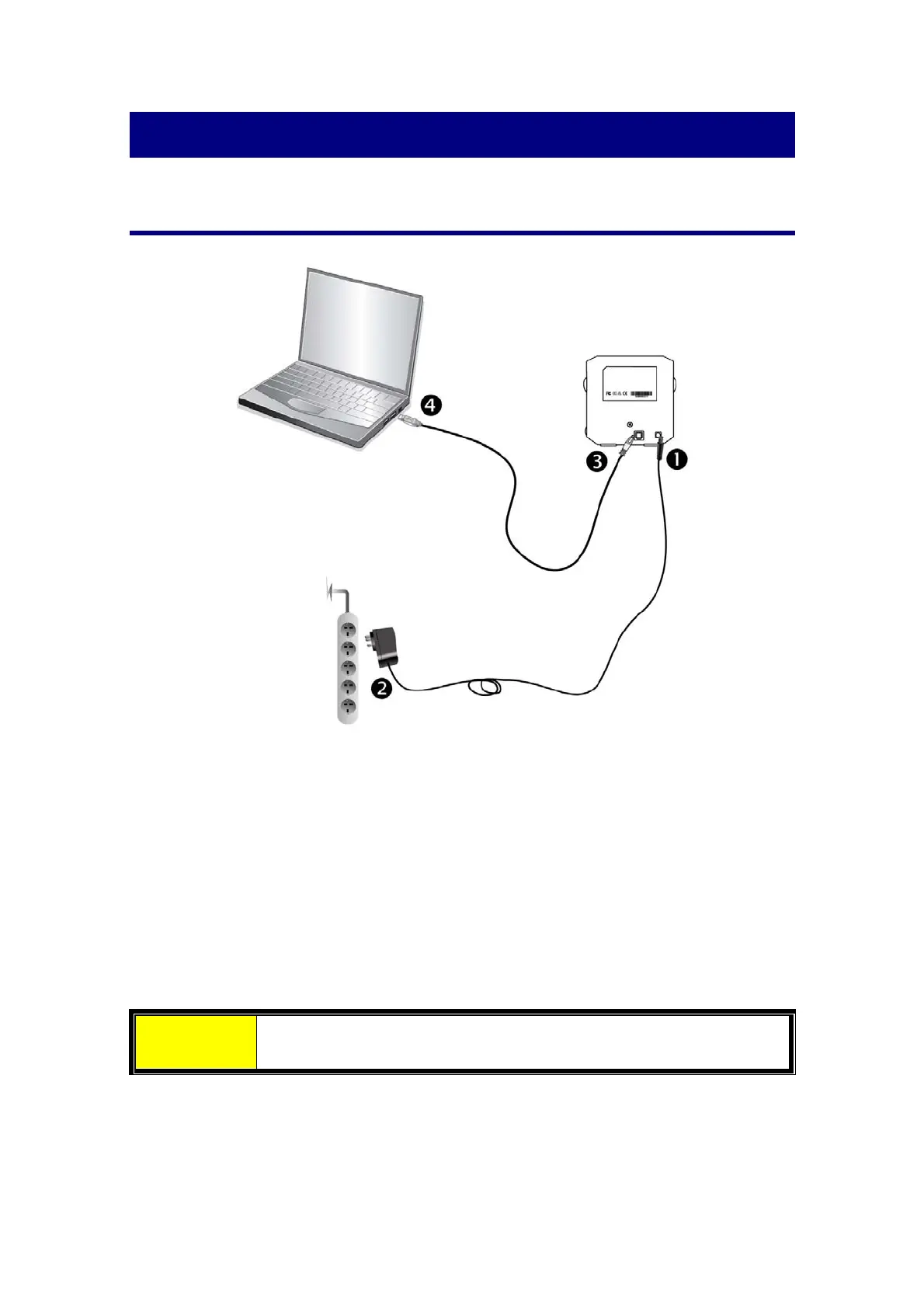
Plugthepoweradapterintothescanner’spowerreceptor.
PlugtheotherendofthepoweradapterintoastandardACpoweroutlet.
Plug the square end ofthe included USB cable tothe USB port at therear of the
scanner.
Plug the rectangular end of
the USB cable to the USB port on the back of your
computer.
Note: If there is another USB device connected to the computer, connect the
scannertoanavailableUSBport.
Attention PleaseDONOTpoweronthescannernow.
6














 To Next Page