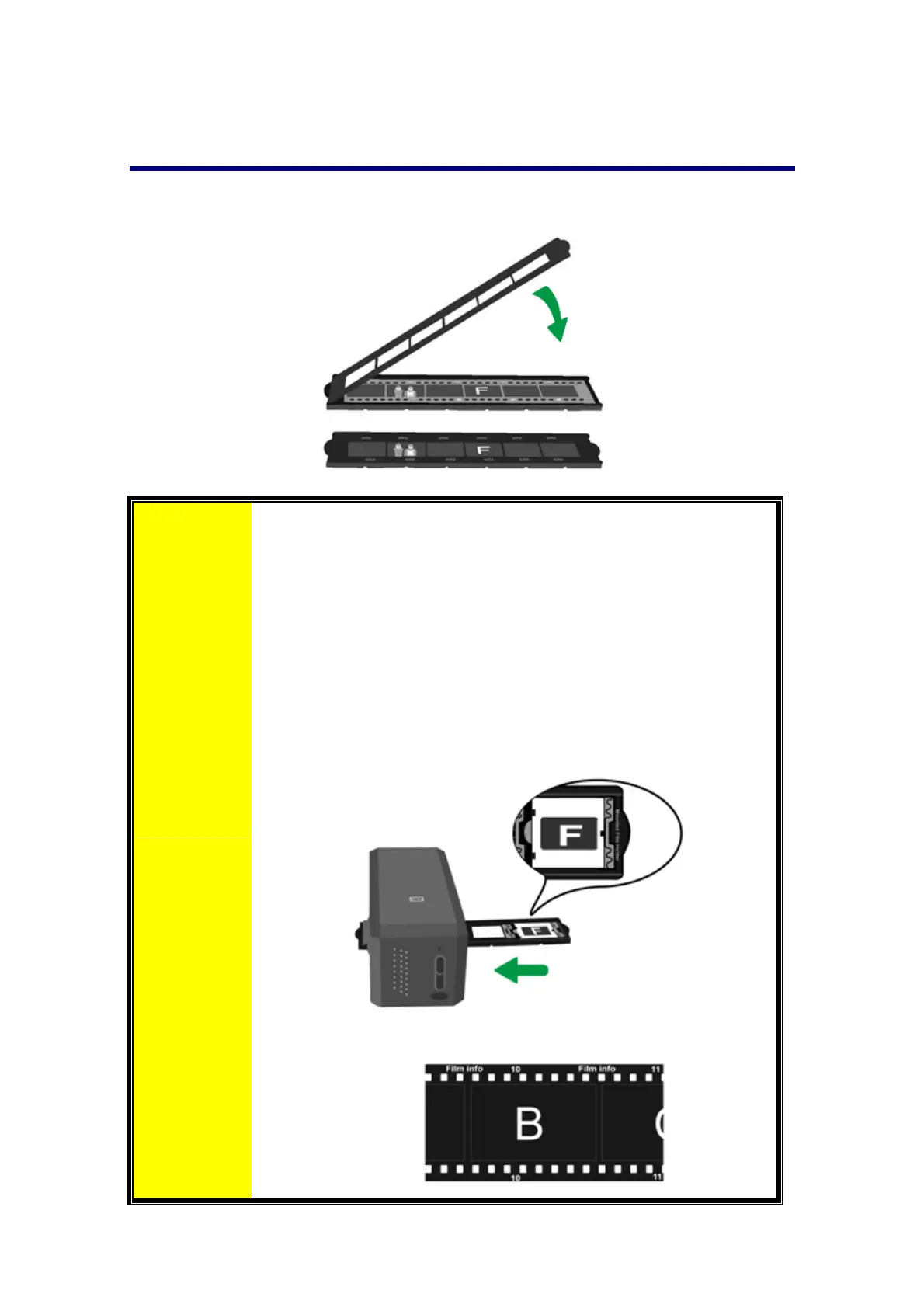
Usingfilmstripholder
Placefilmstripinthe filmholderwithemulsion(non‐glossy)sidedown,thensnapthe
filmholdercoverclosed.
Attention
For correct scanresults, always turnthe film with the top of
the image facing towards the back of the scanner (where
power cord and USB cord are located) and keep emulsion
(non‐glossy)sidedown.
There is text on the top and bottom of the film, such as
manufacturer,
frame numbers, film codes, batch
numbers...etc. With the film oriented correctly as described
above,thistextshouldbereadclearly(i.e.,notbackwardsor
up‐side‐down).
12














 To Next Page