High impact resistant PC/ABS housings
Magnesium alloy internal chassis with component shock mounts
2.0m multiple drops to concrete, MIL-STD-810G
Independently certified to meet IP65 standards for moisture and particle resistance
H; 213 mm x W; 79.5 mm x L; 33.9 mm(top)
1) 487g with STD Battery
2) 517g with EXT Battery
1D Laser model: SE965-HP laser engine. Decodes all standard 1D codes.
2D engine model: N5450X 2D Imager. Decodes all standard 1D, 2D, Postal, and OCR
codes.
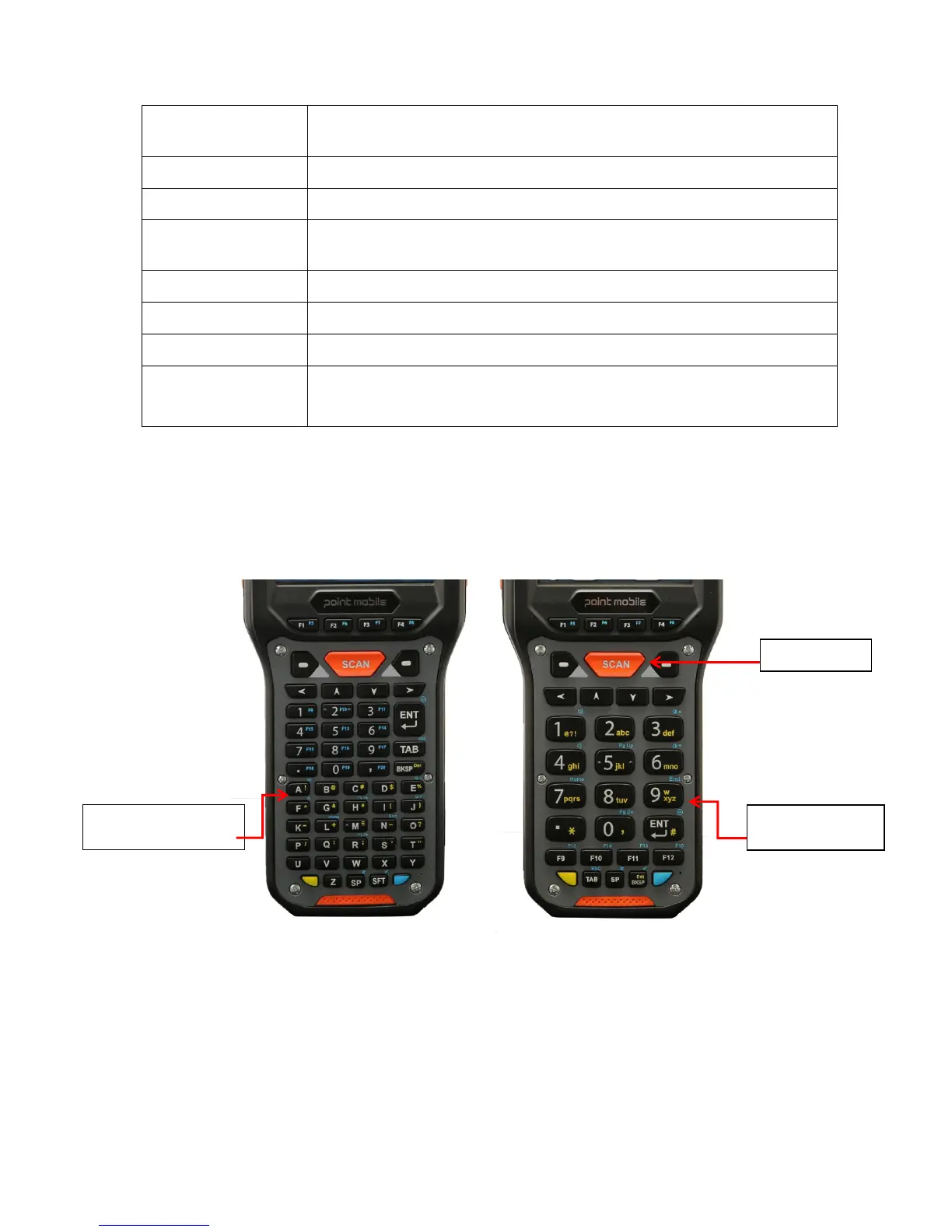
5. Using the Keypad
5.1. Alpha-Numeric/Numeric Keypad Layout
5.2. Navigation Keys
Located in the center of the keypad for easy access with either hand, the navigation keys enable
you to move the cursor up and down lines and from character to character.
Keyboard
(32-key numeric)
Keyboard
(56-key numeric)



 To Next Page